










Why You Should Join Us



- Connect with industry professionals around the world through SPE Connect and the global eMentoring program
- Enhance your skills and gain real-world industry insights through certified training, as well as seminars and webinars led by experts.
- Get curated industry insights tailored specifically to your technical interests, geographic region, and professional goals.
- Unlock exclusive access to thousands of OnePetro technical papers and the Journal of Petroleum Technology (JPT).
- Be part of a community driving innovation and energy transition forward.













How to Join
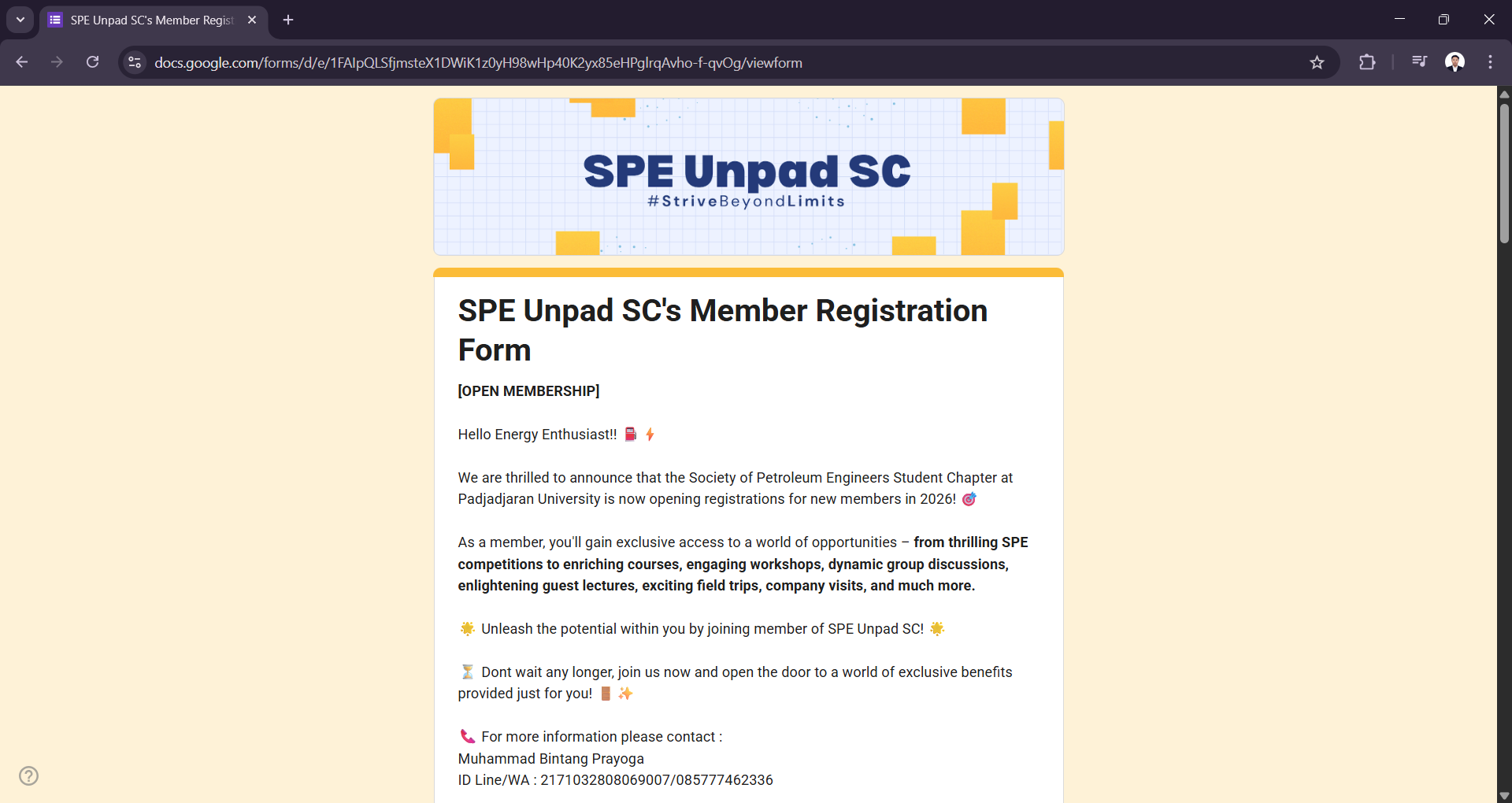
Register yourself by the following Google Form link https://bit.ly/FuelYourMembershipSPE2026 and fill out the registration form provided.
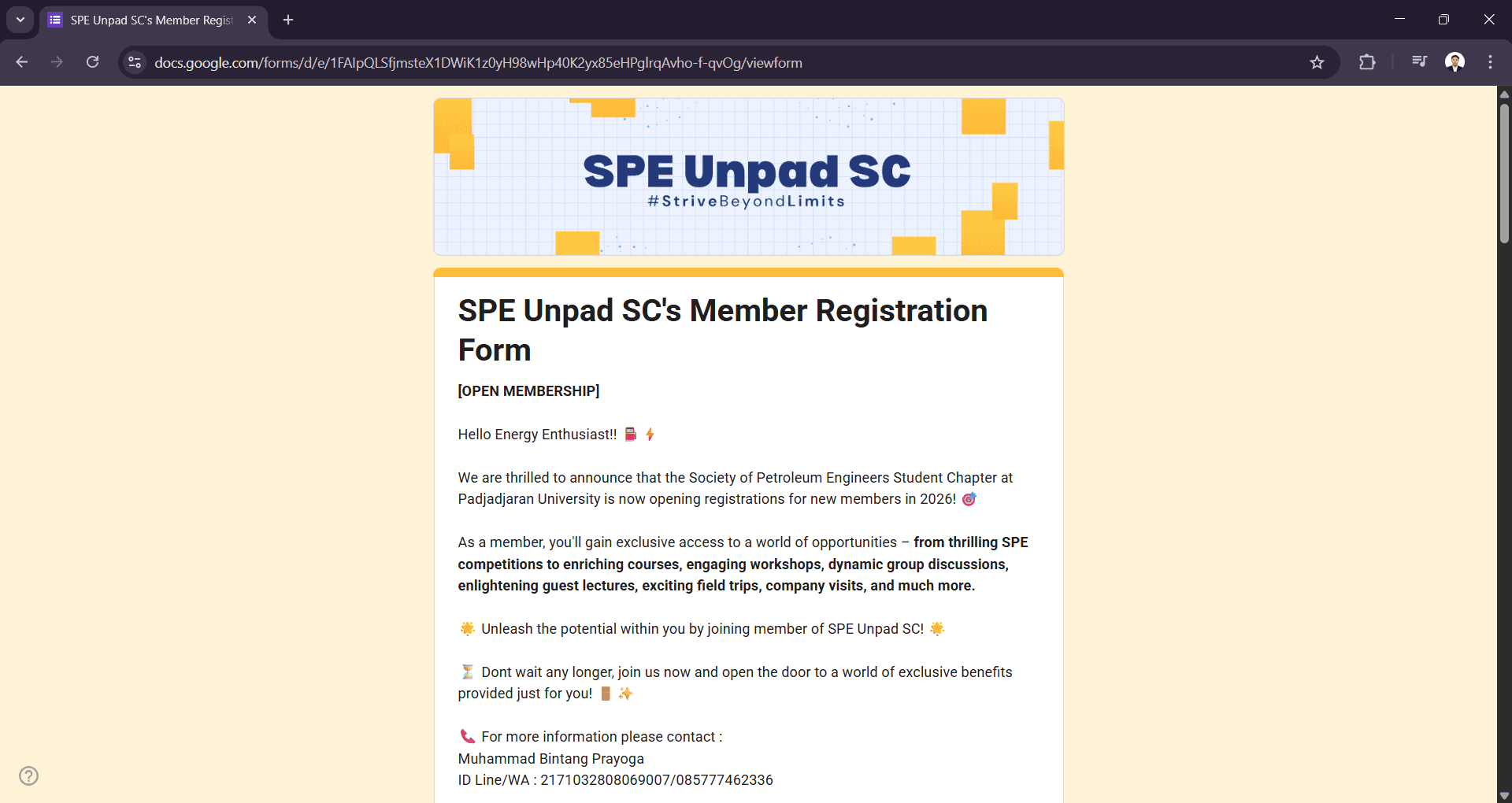
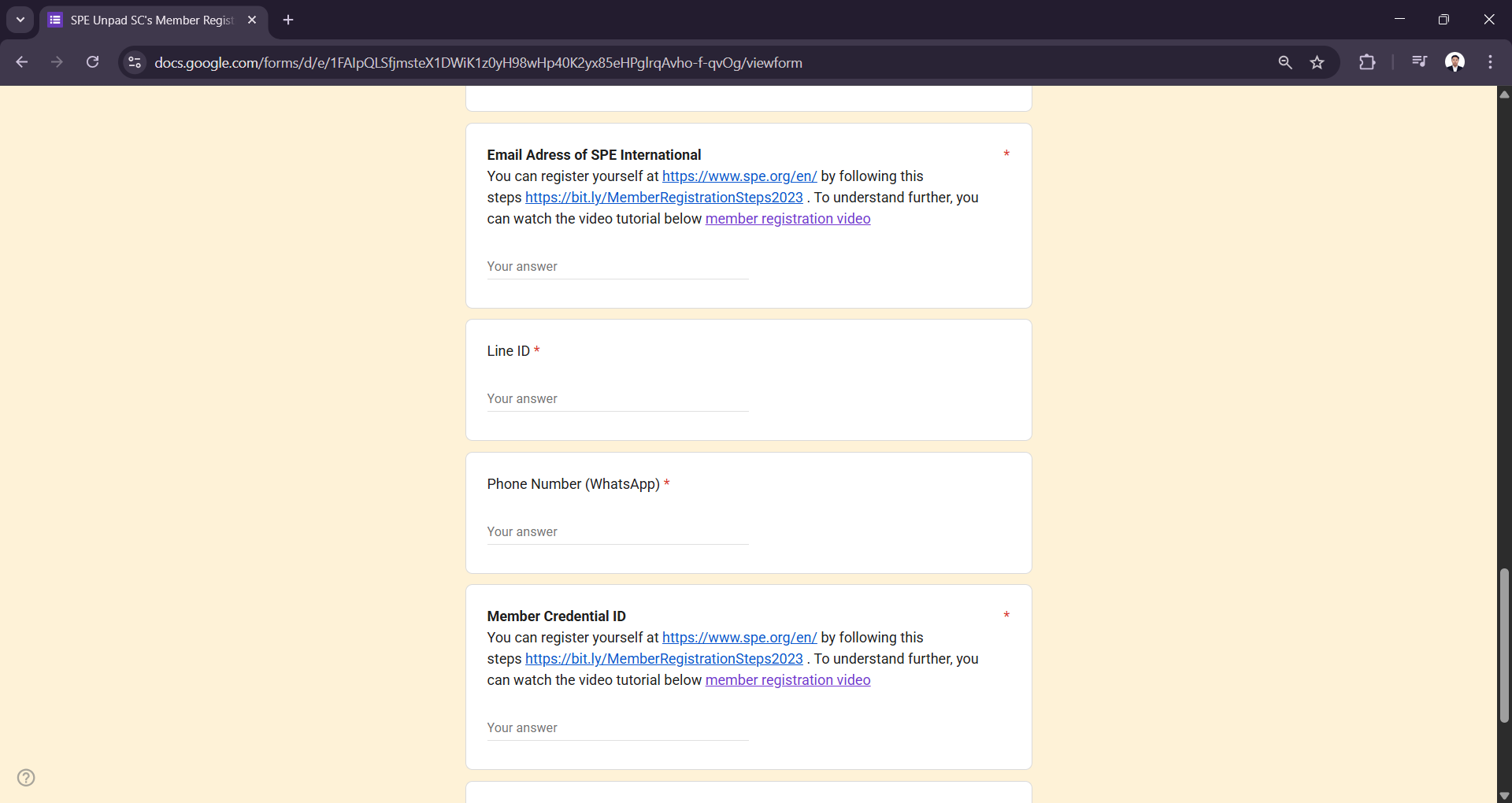
Register first on the official SPE website at www.spe.org to obtain your Email Address of SPE International and Member Credential ID.
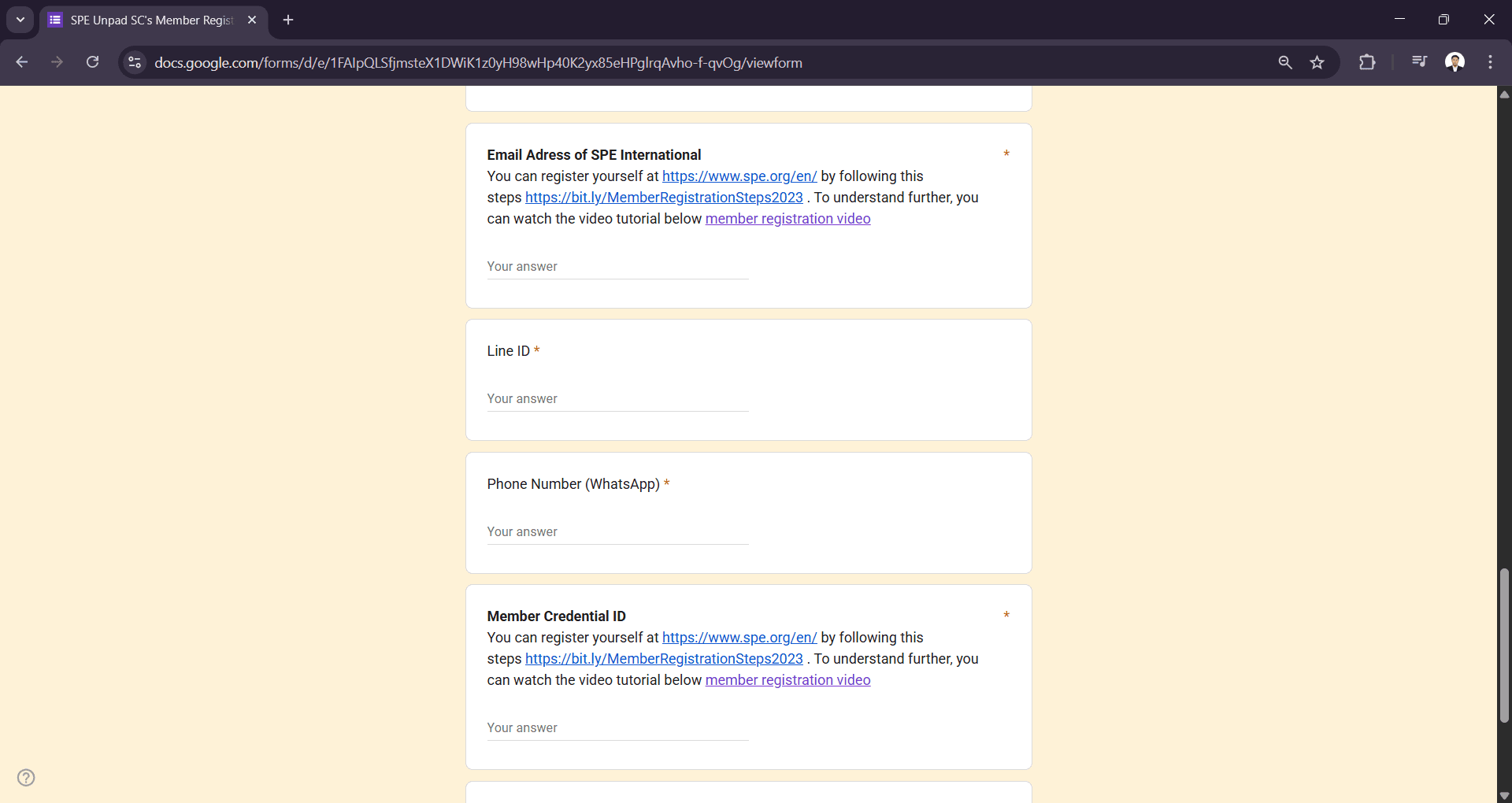
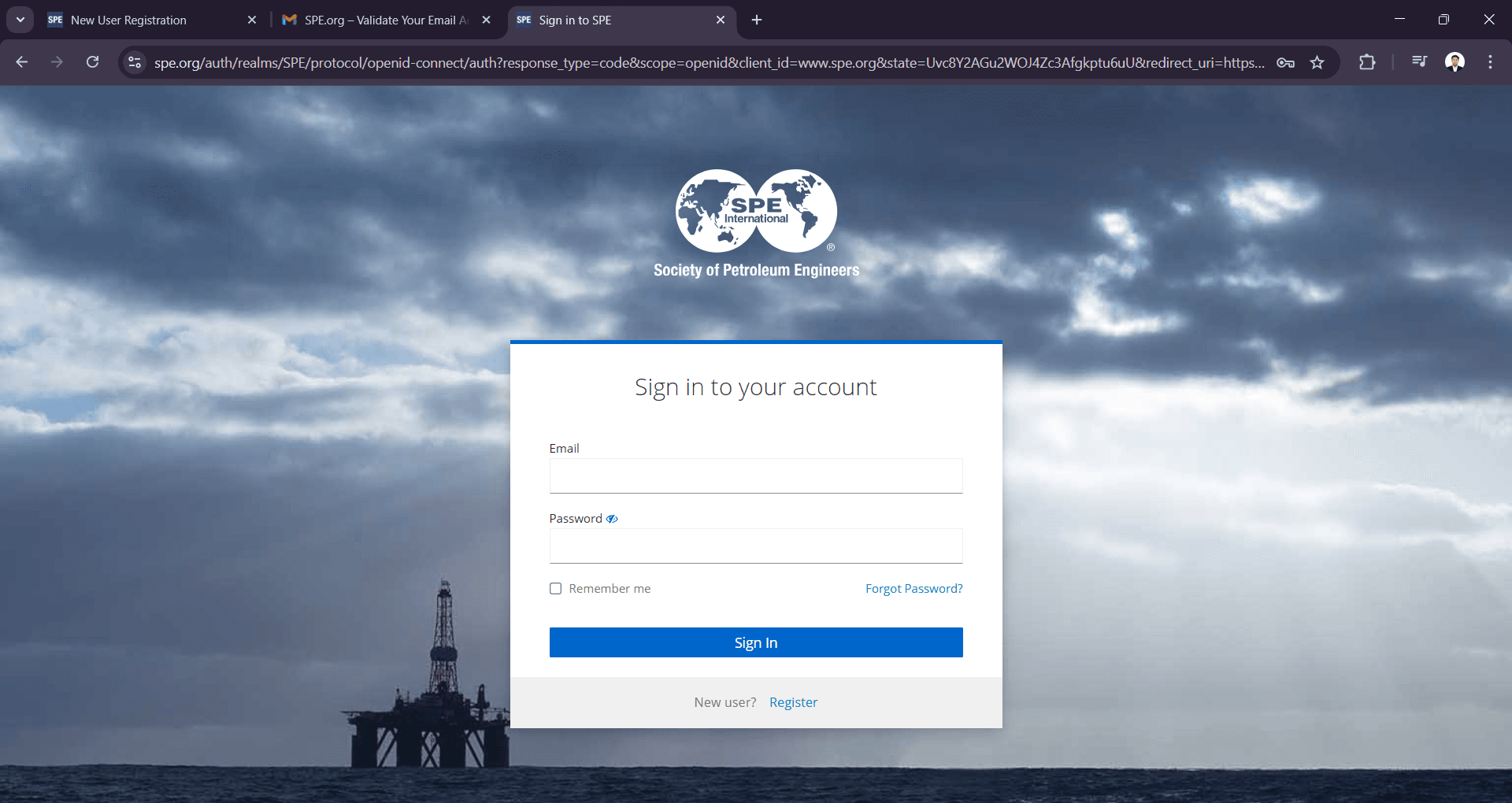
On the SPE website, click Sign In on the top right side.
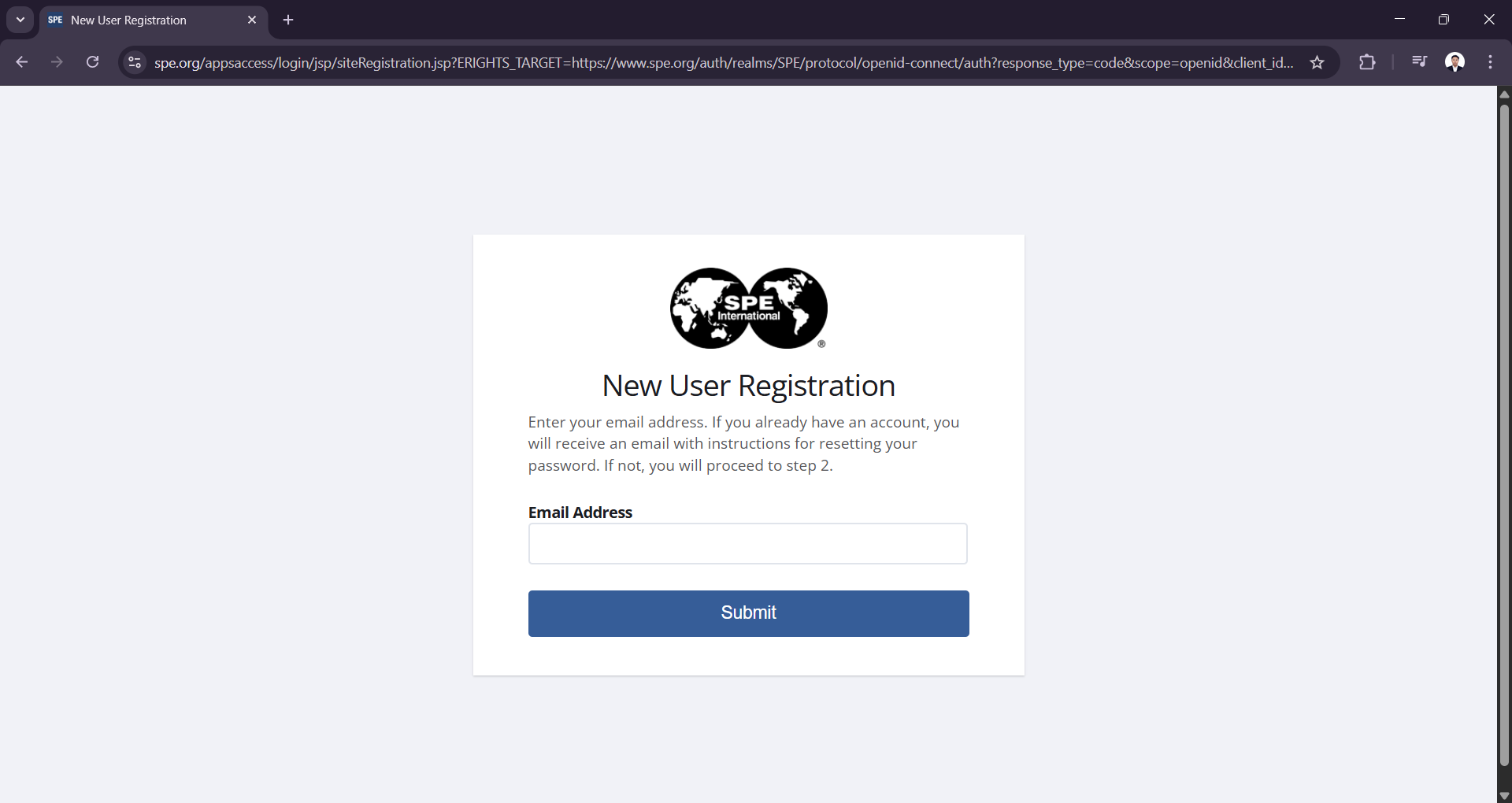
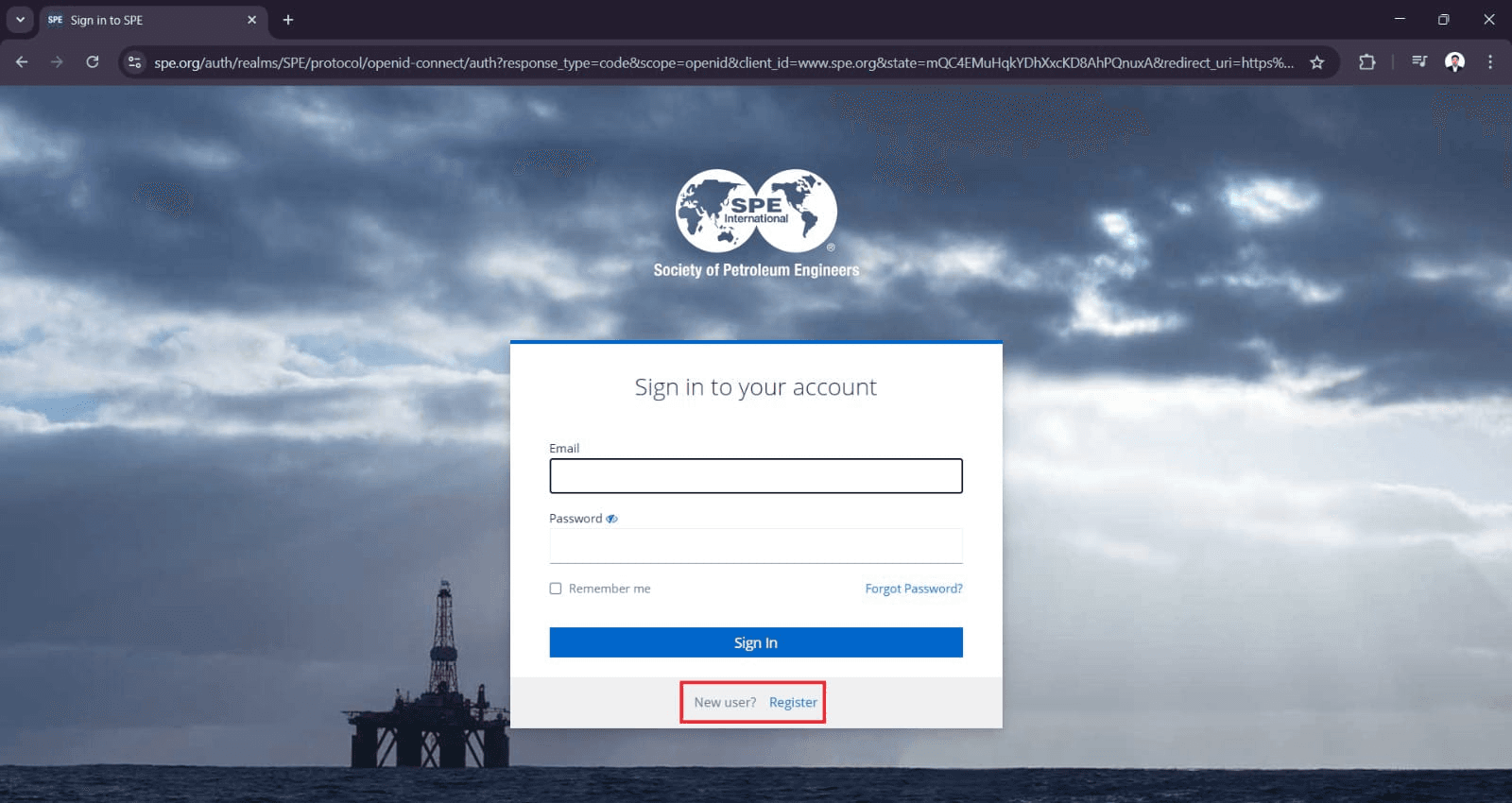
Click register to create new user account
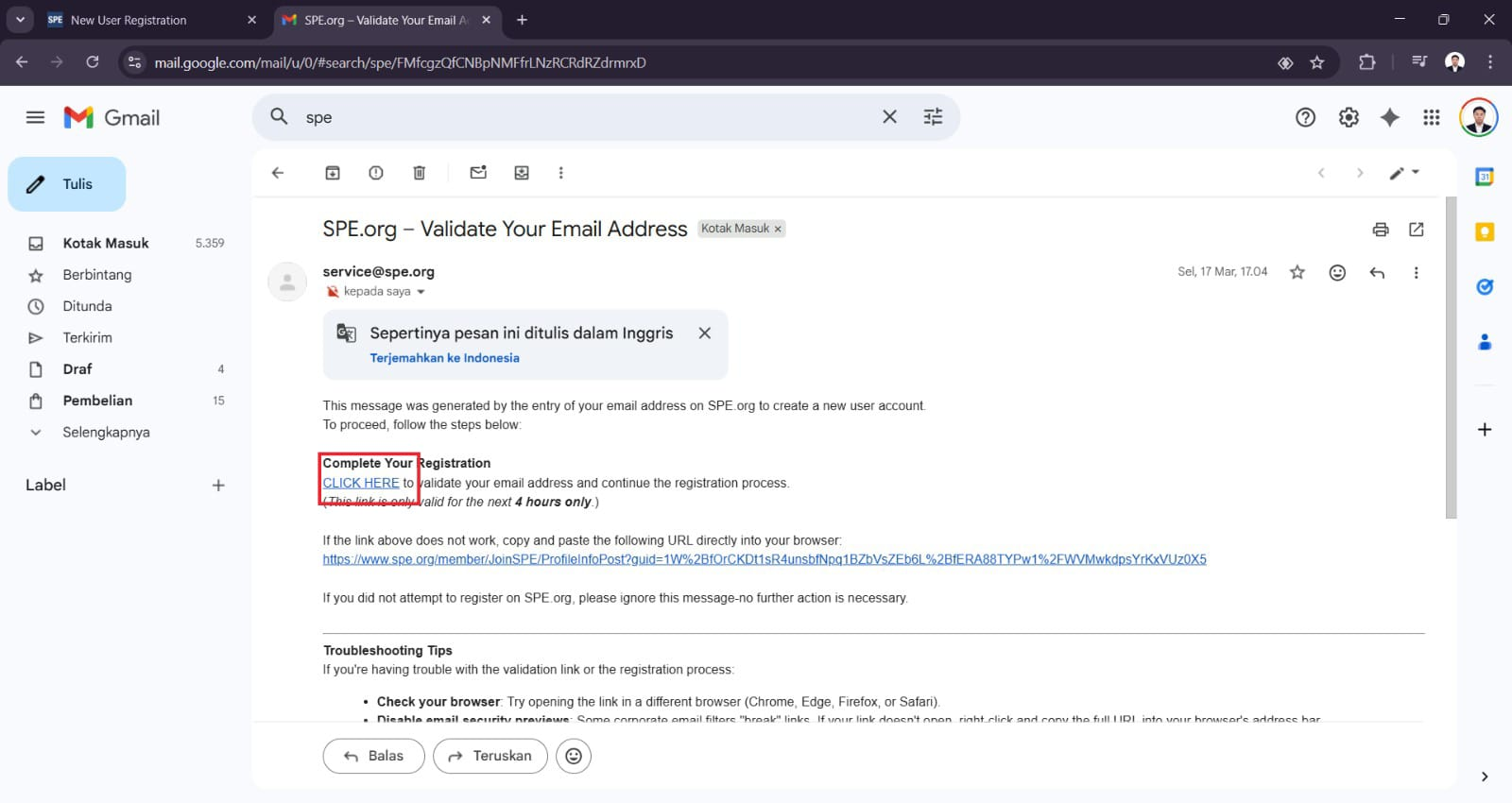
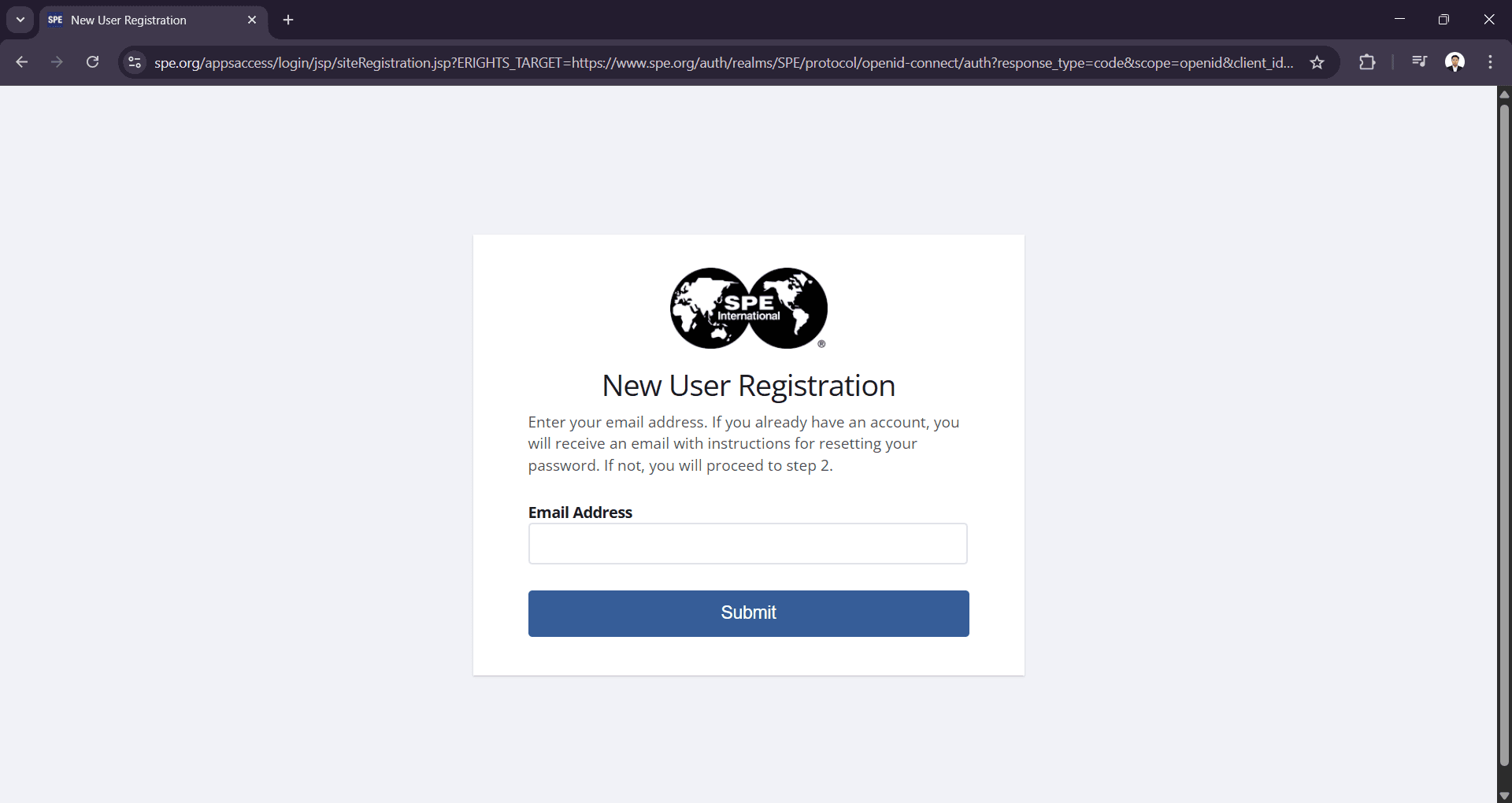
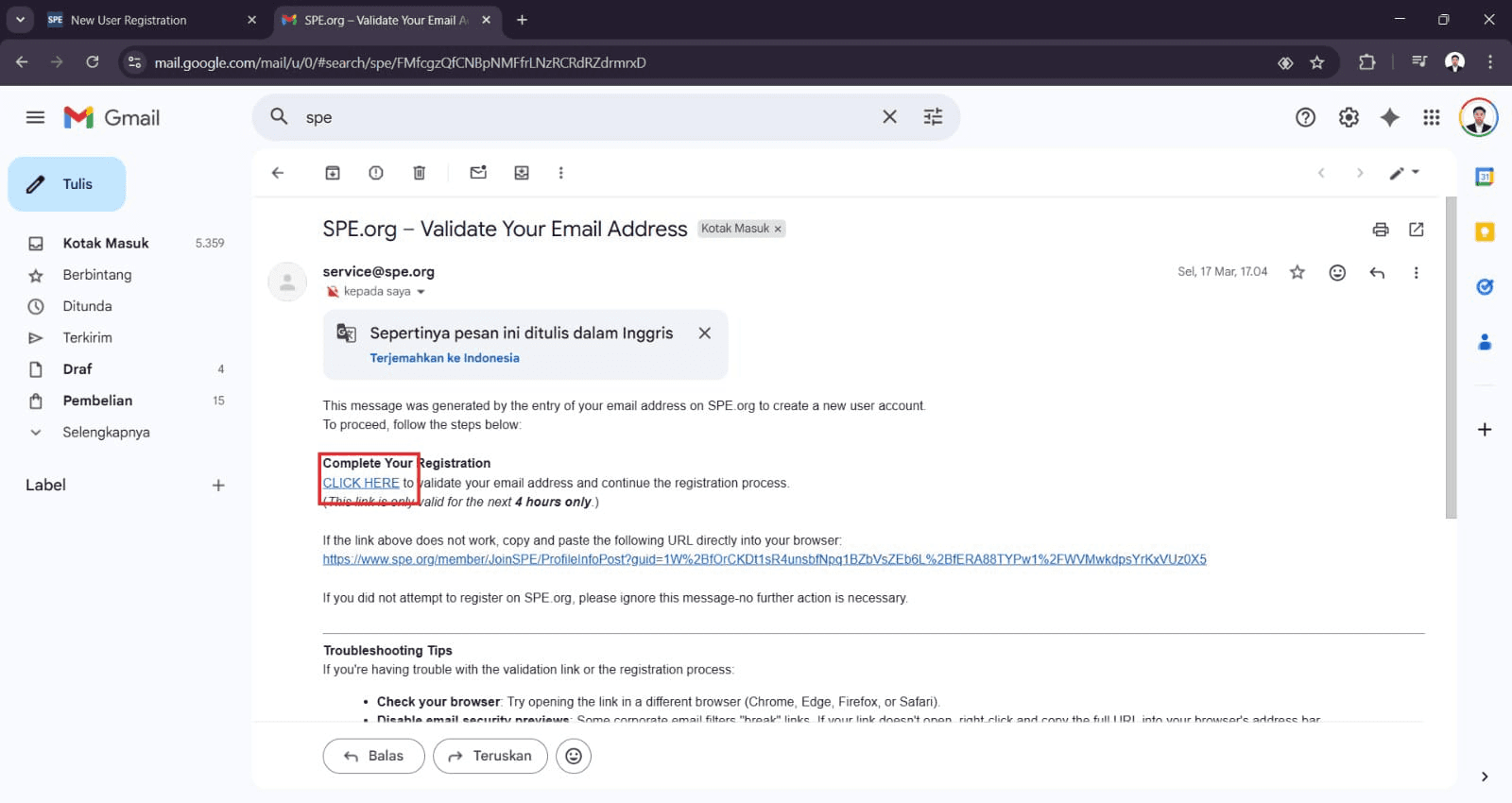
Enter your email address and submit. then check your email for validation to complete the process
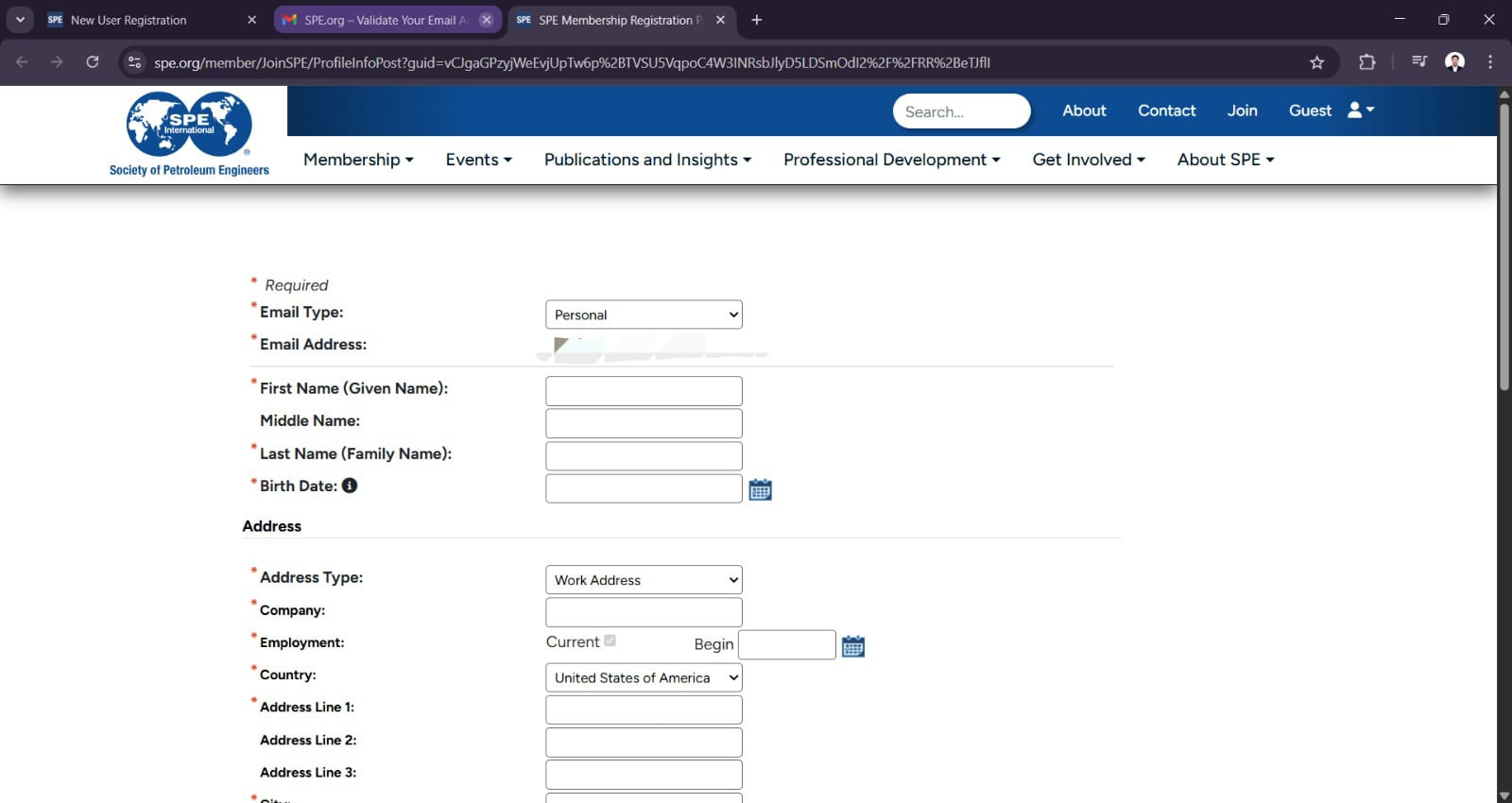
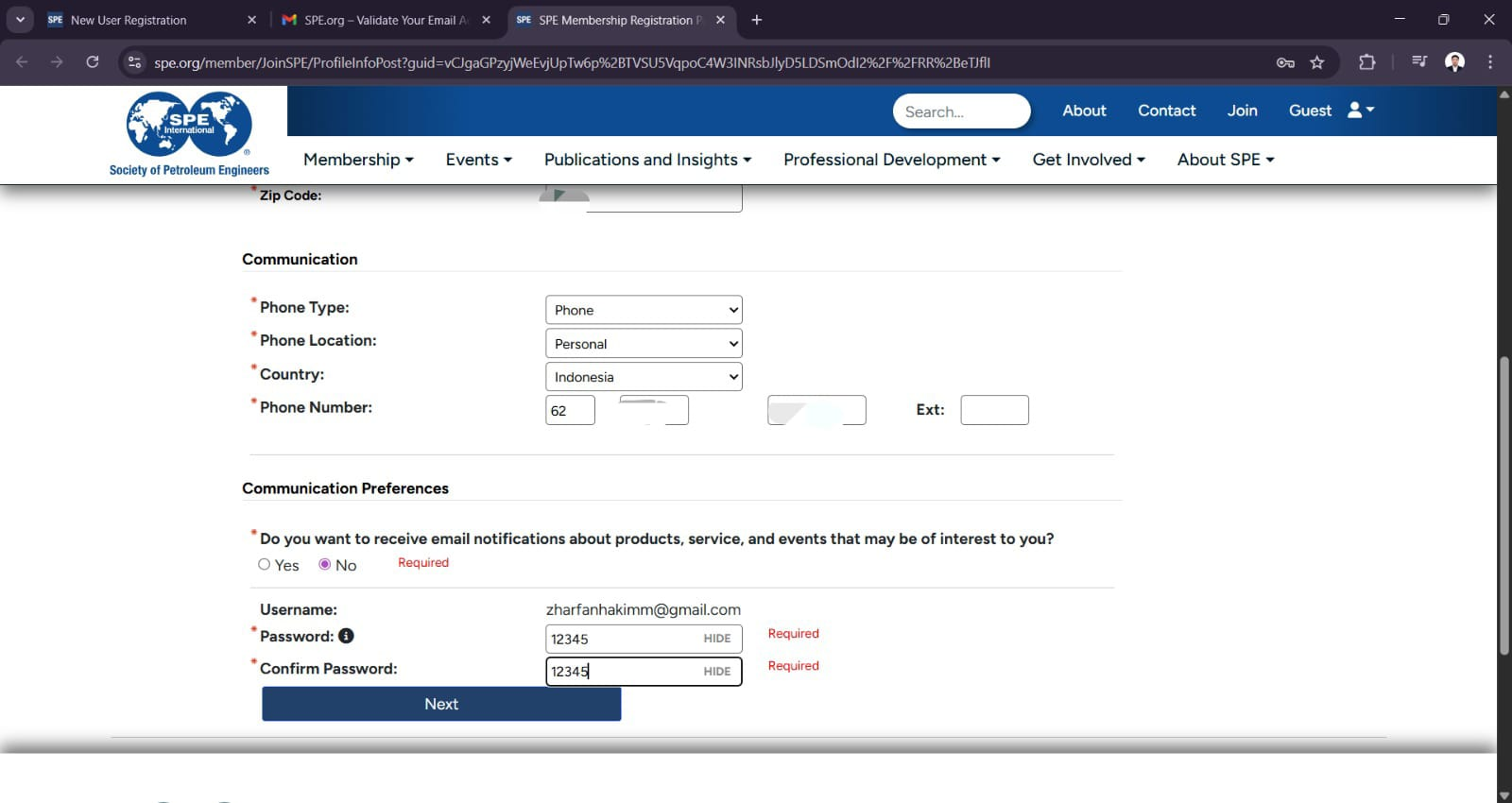
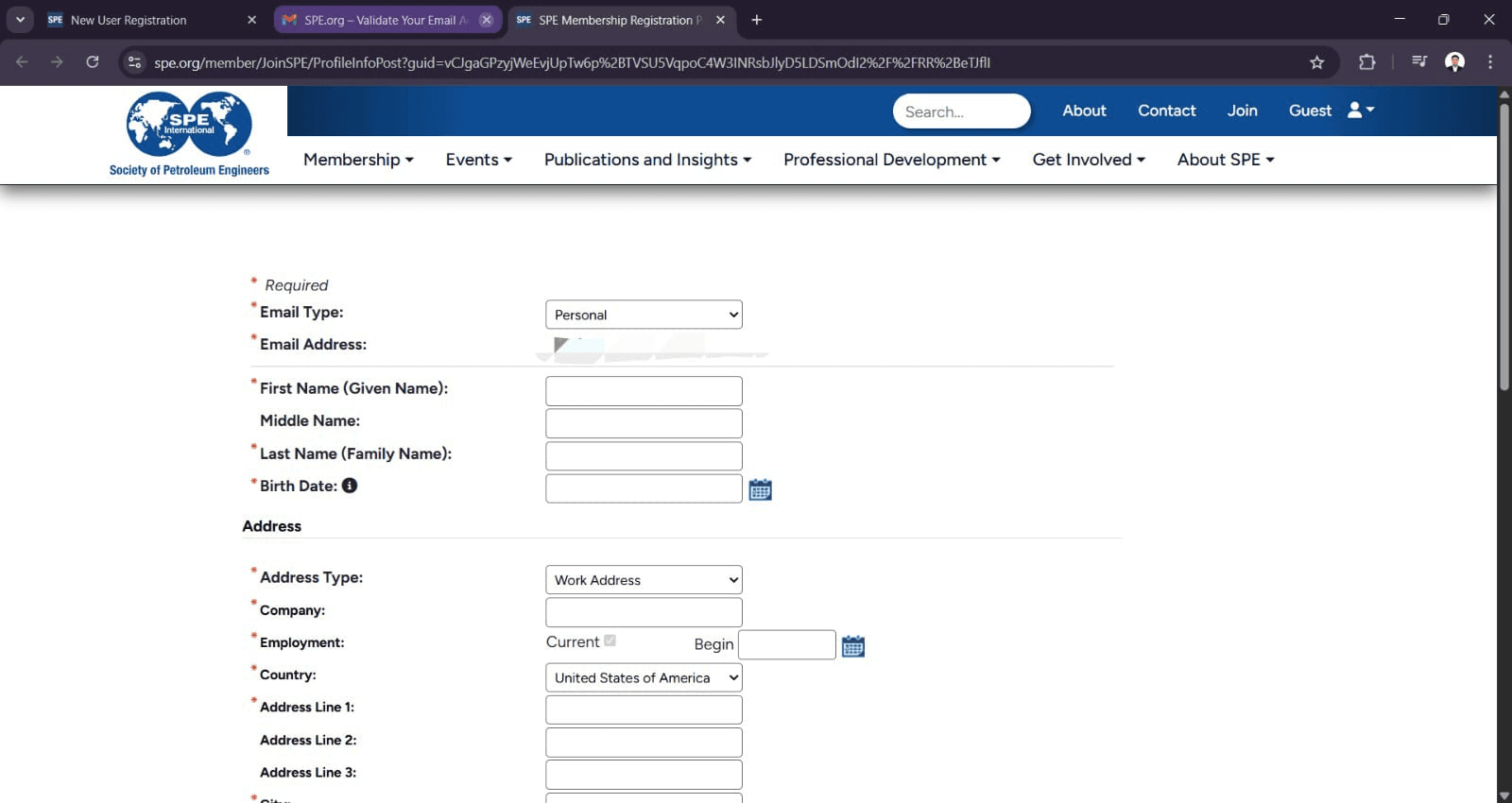
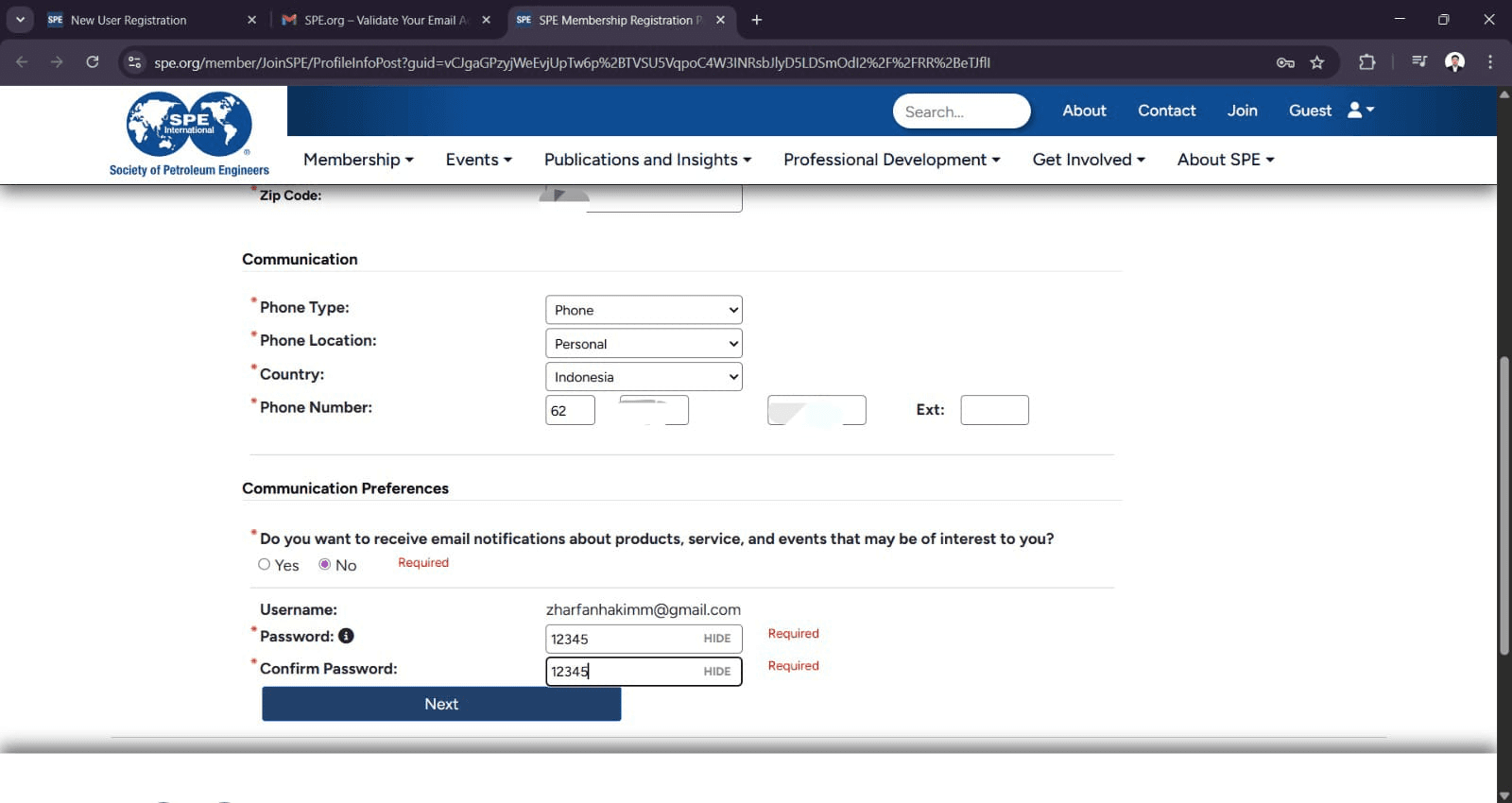
Fill in the page regard to your personal data. For the password, you must fill in 12345 so your membership renewal could be done by Member Management of SPE Unpad SC in the future. Your personal data will be kept confidential and assured by Member Management of SPE Unpad SC
Re-sign in using the email address and password you just created.
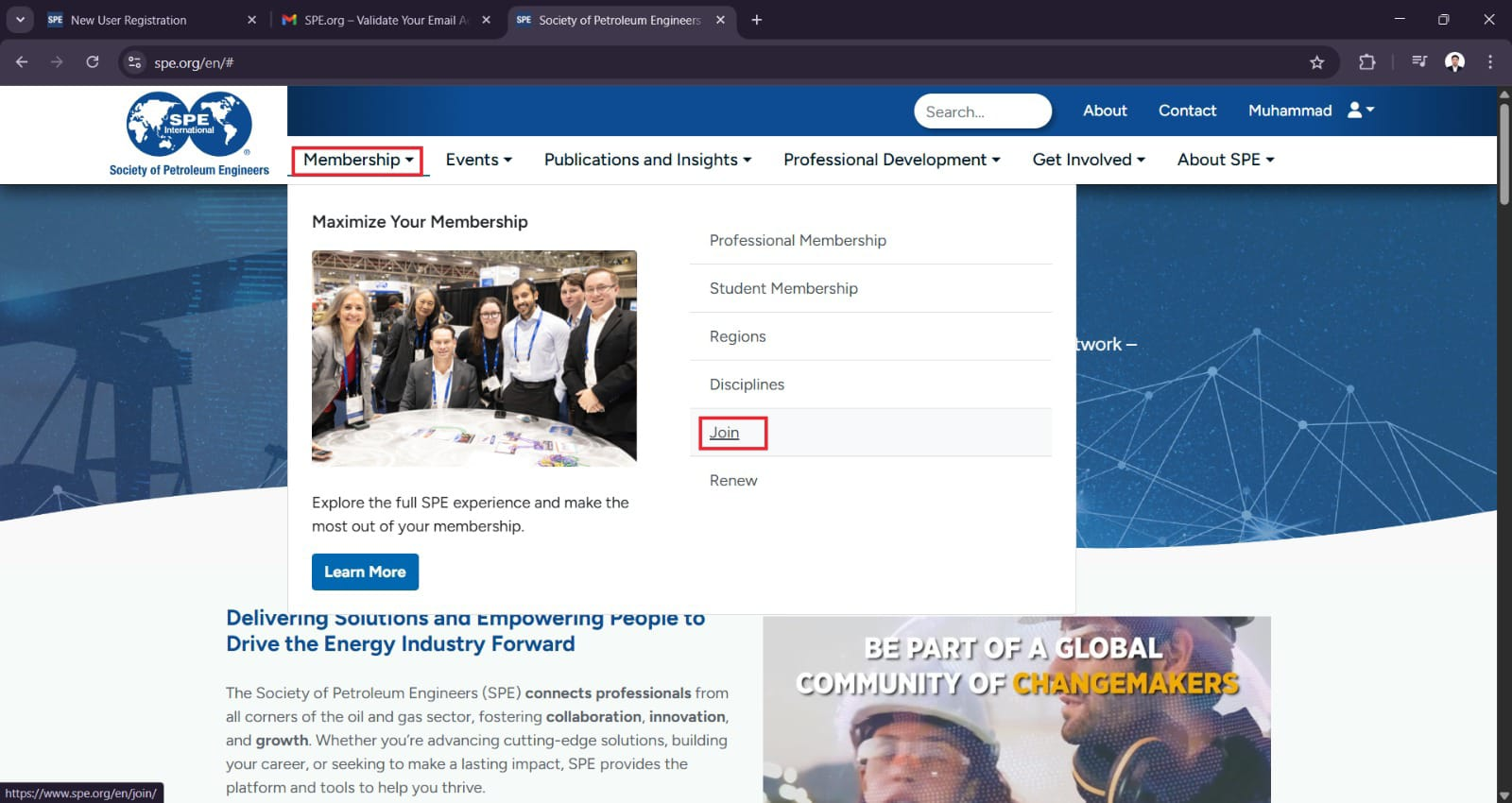
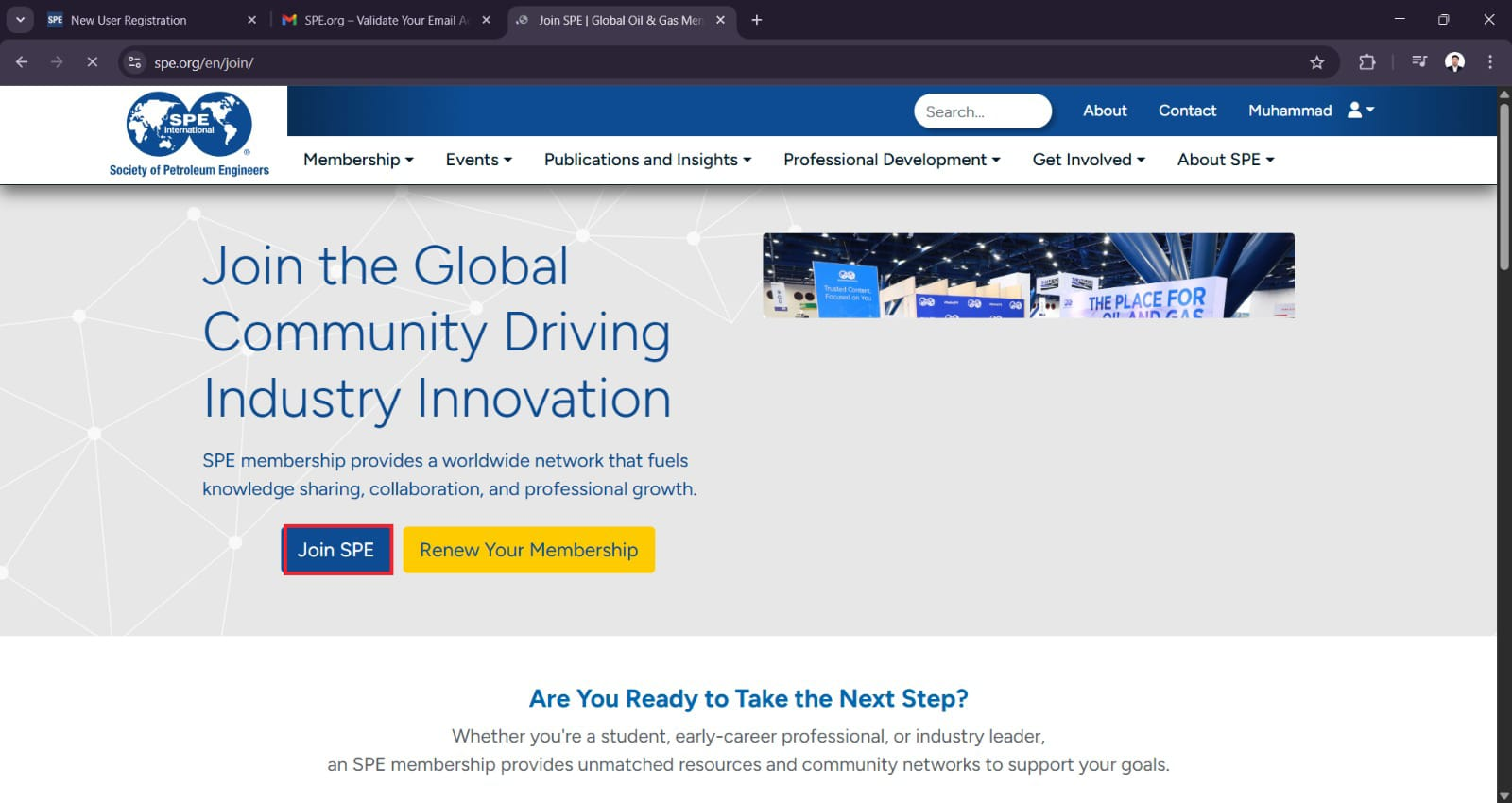
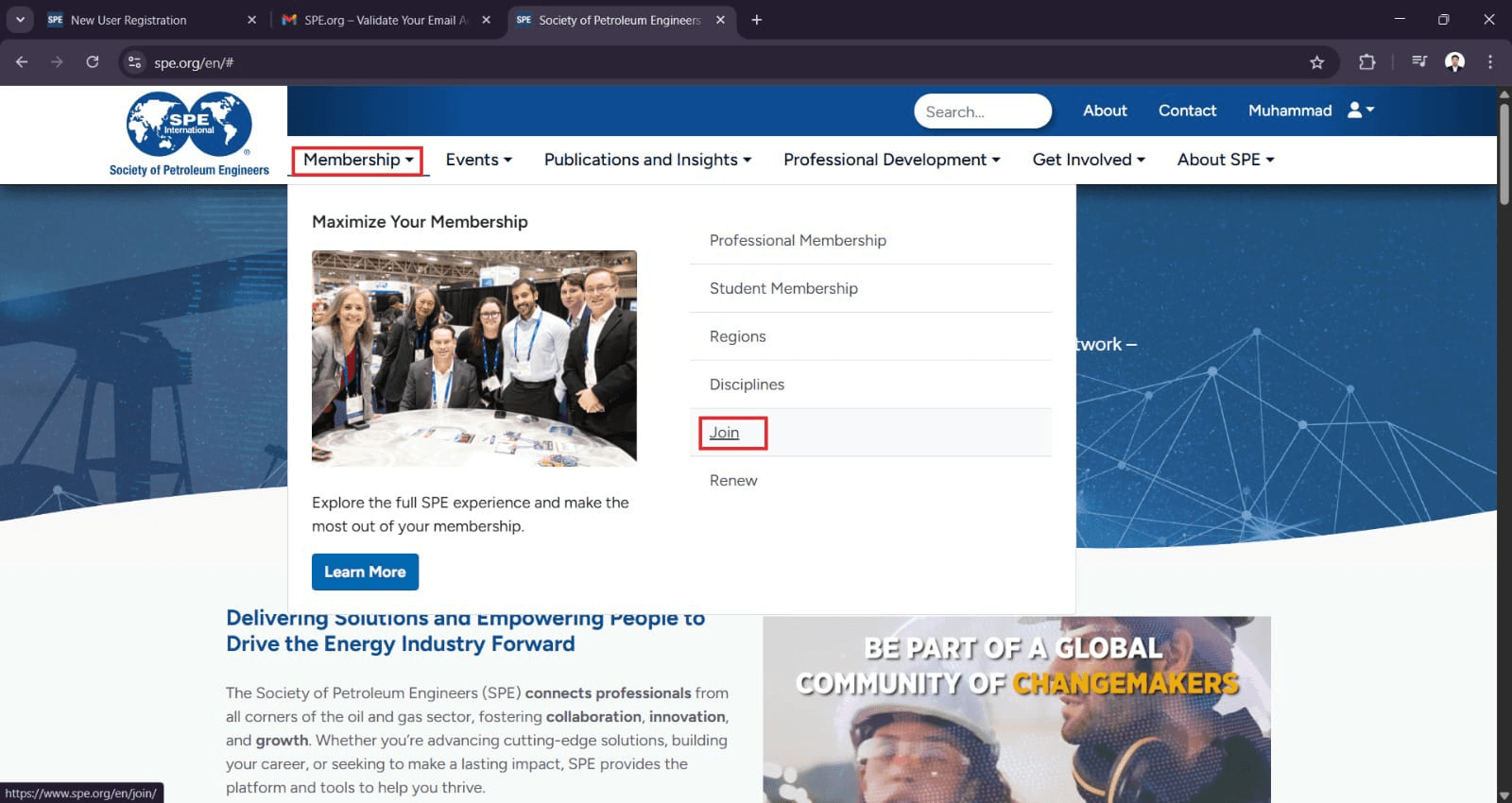
Click Membership on the top left side.
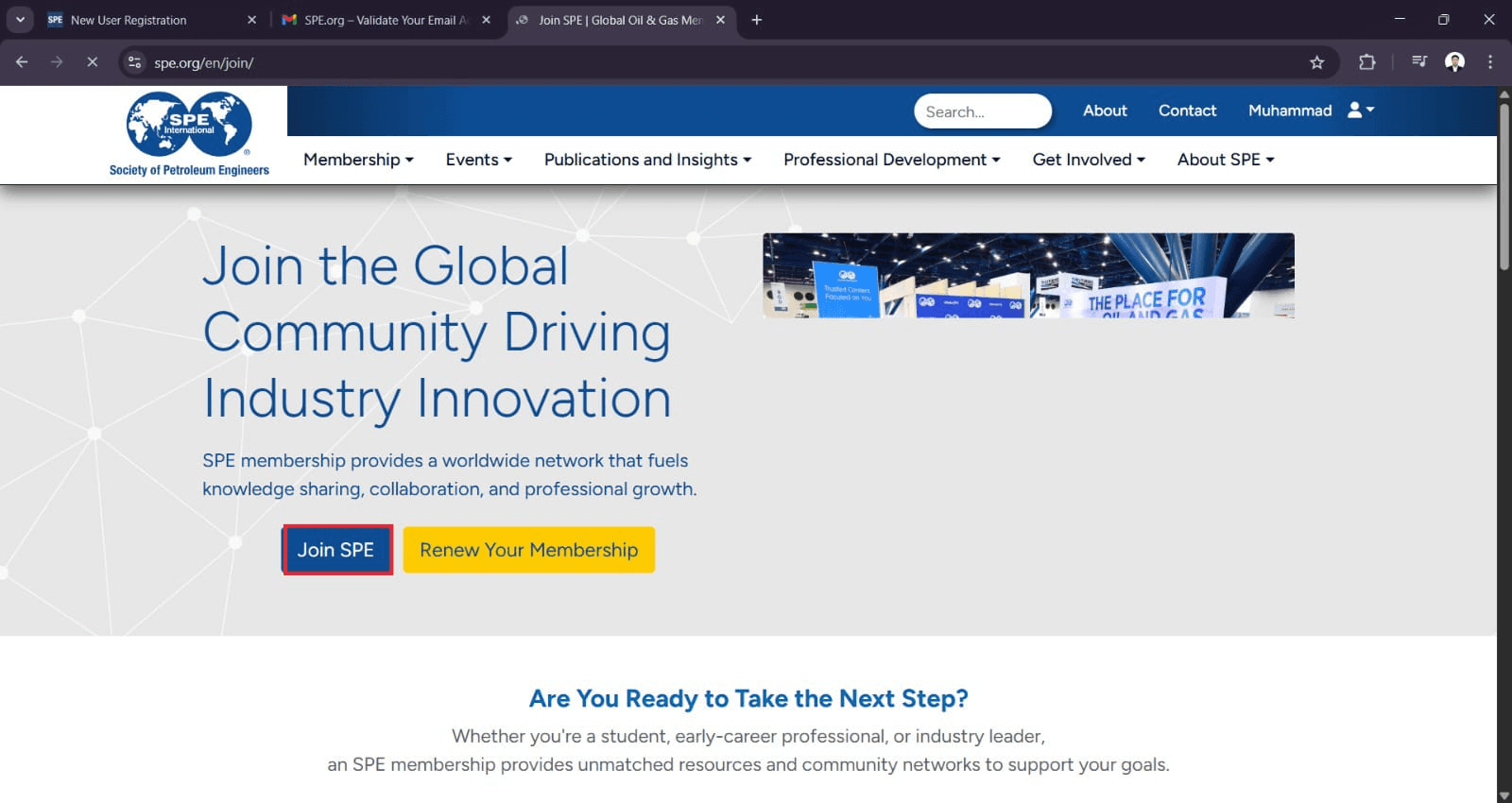
Click Join SPE
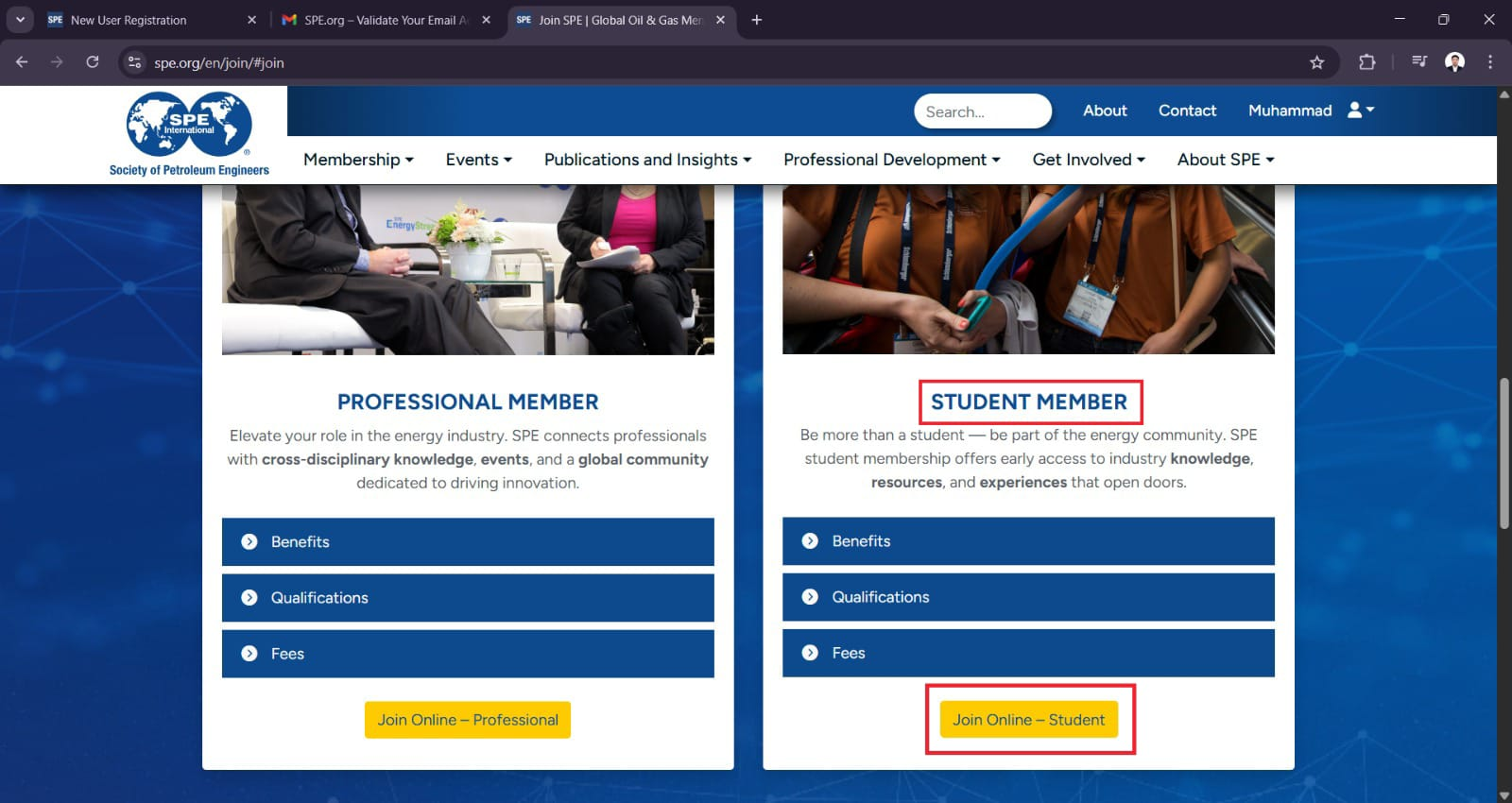
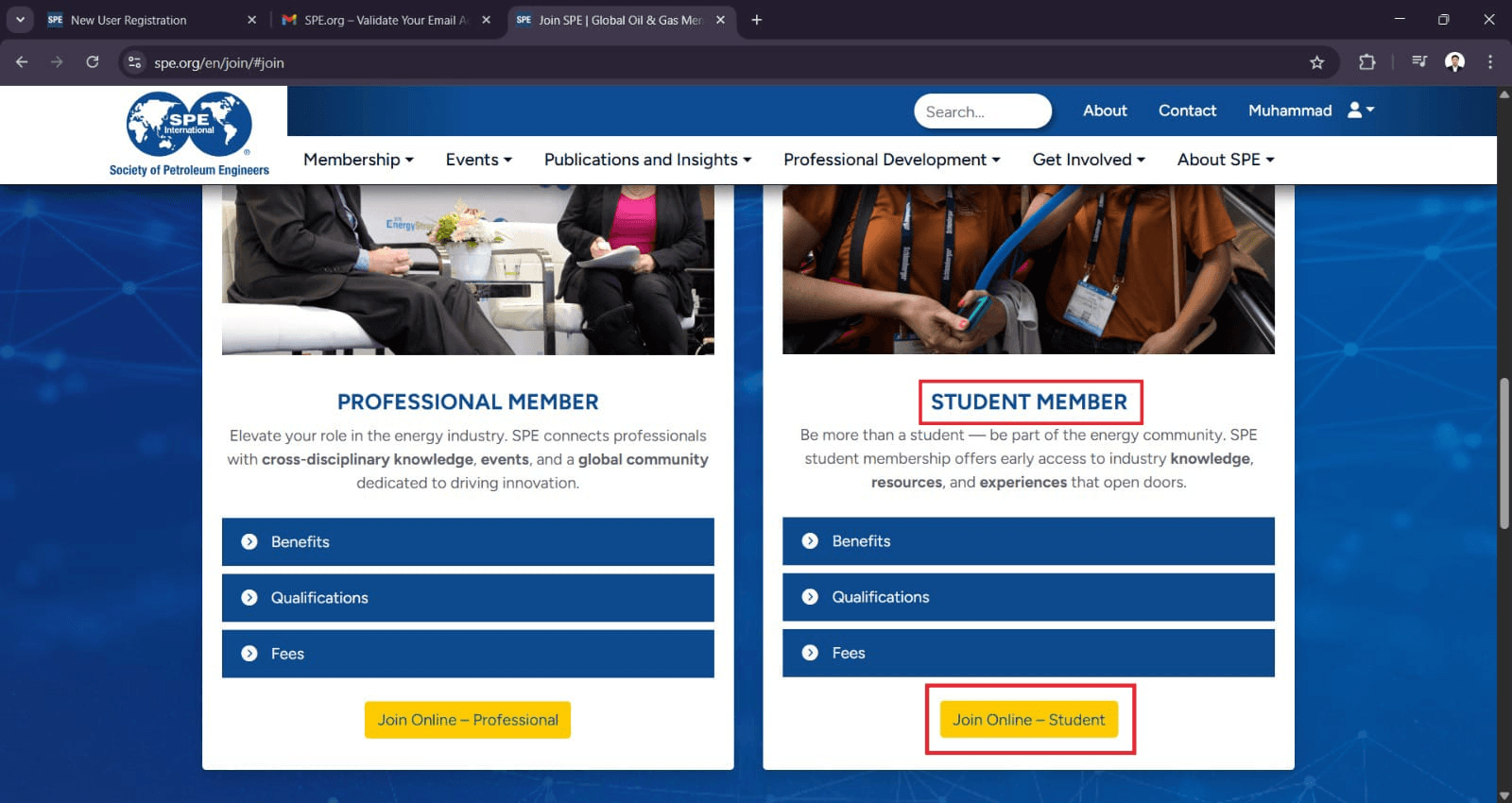
Select the Student Member category and click Join Online.
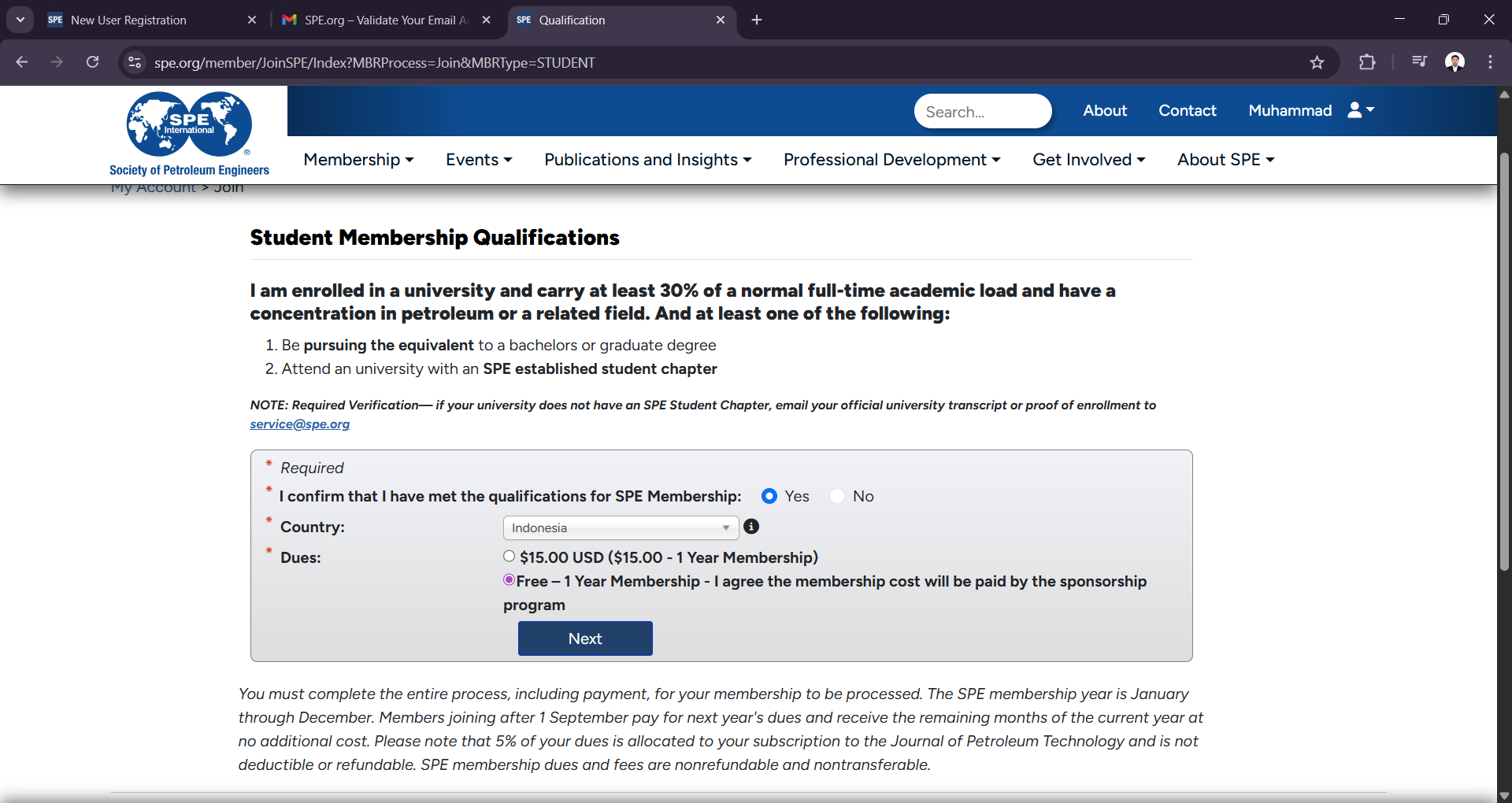
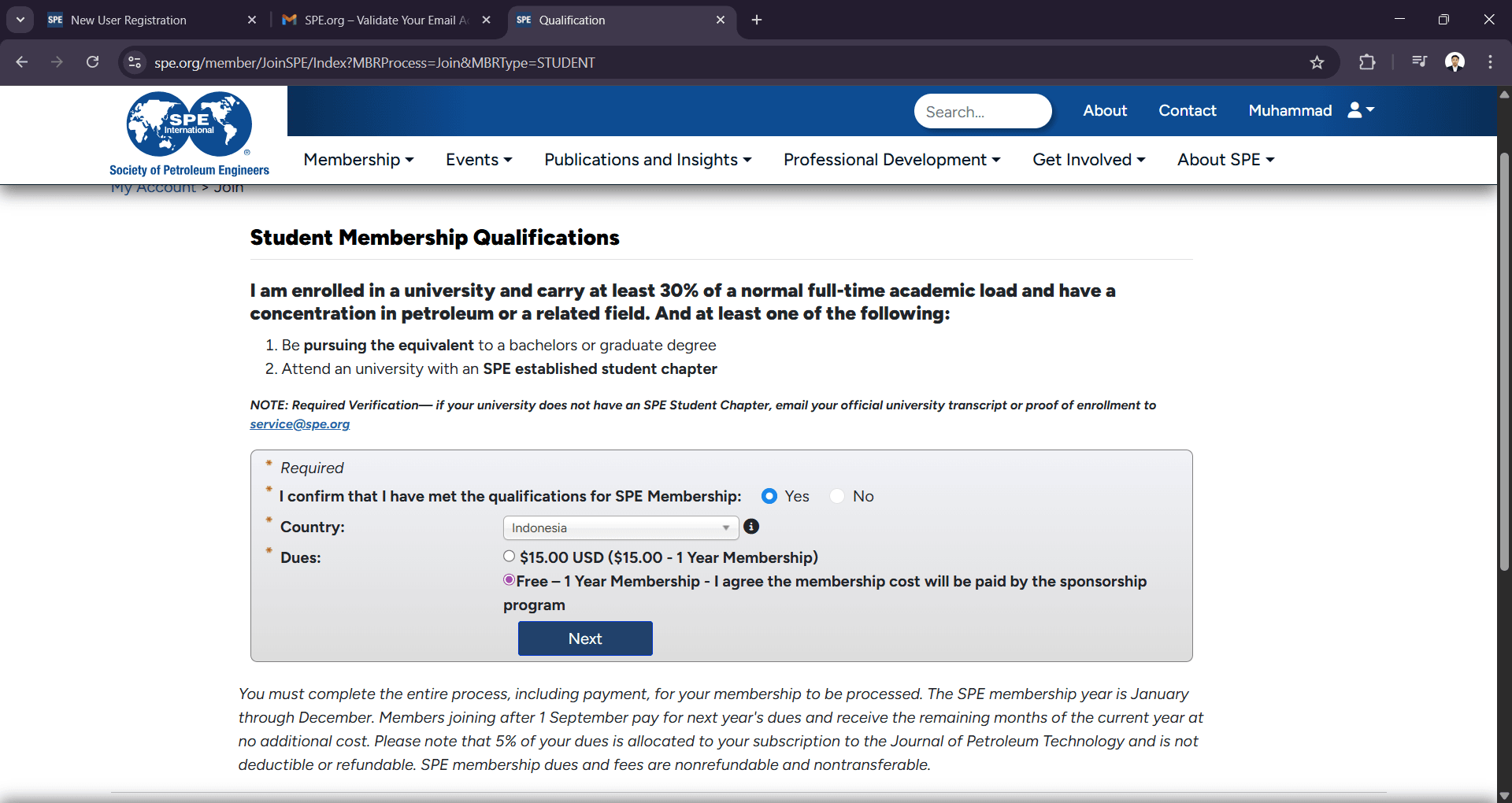
Click on the Free membership choice and ensure you select your Country. then click next
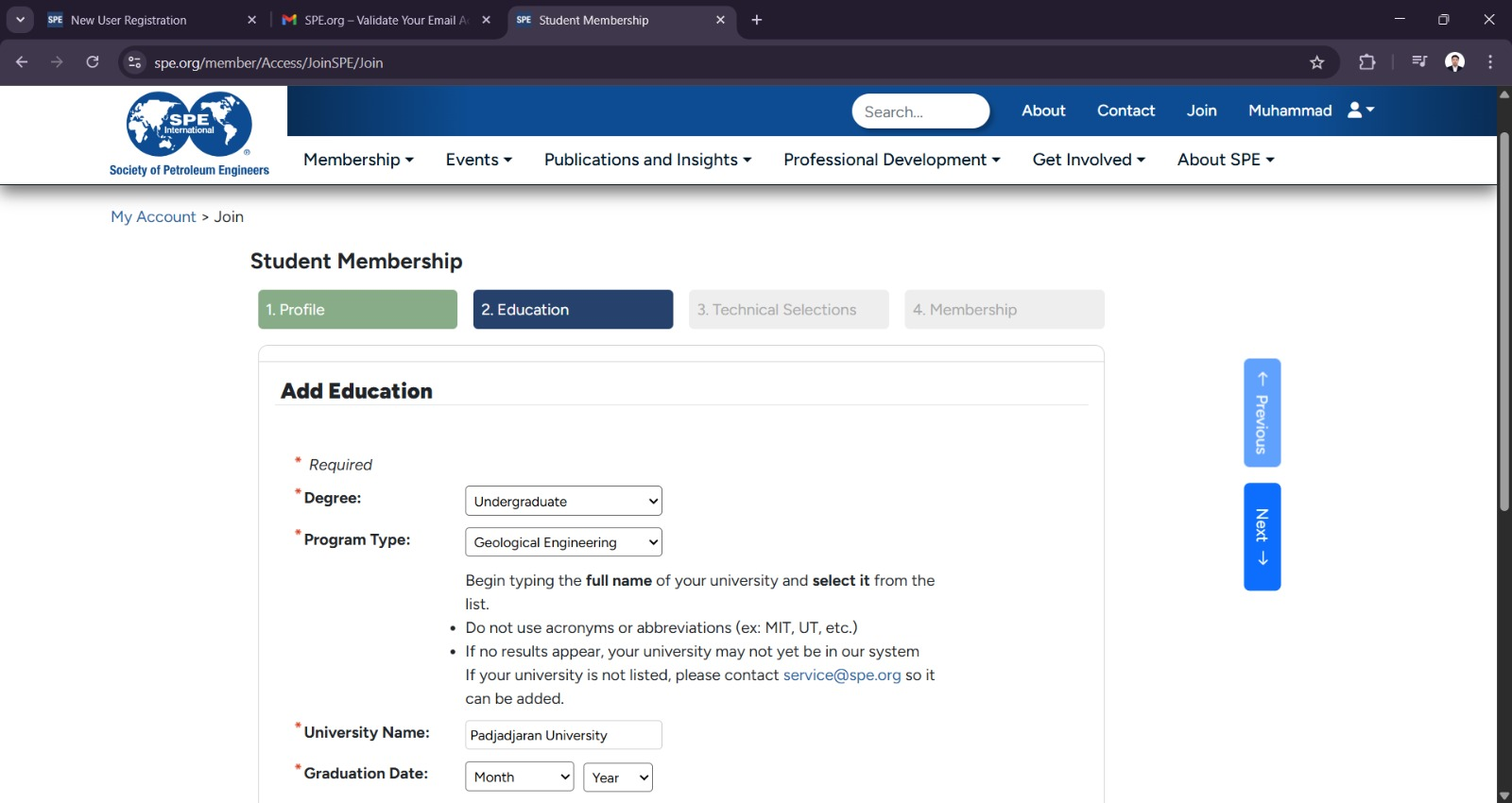
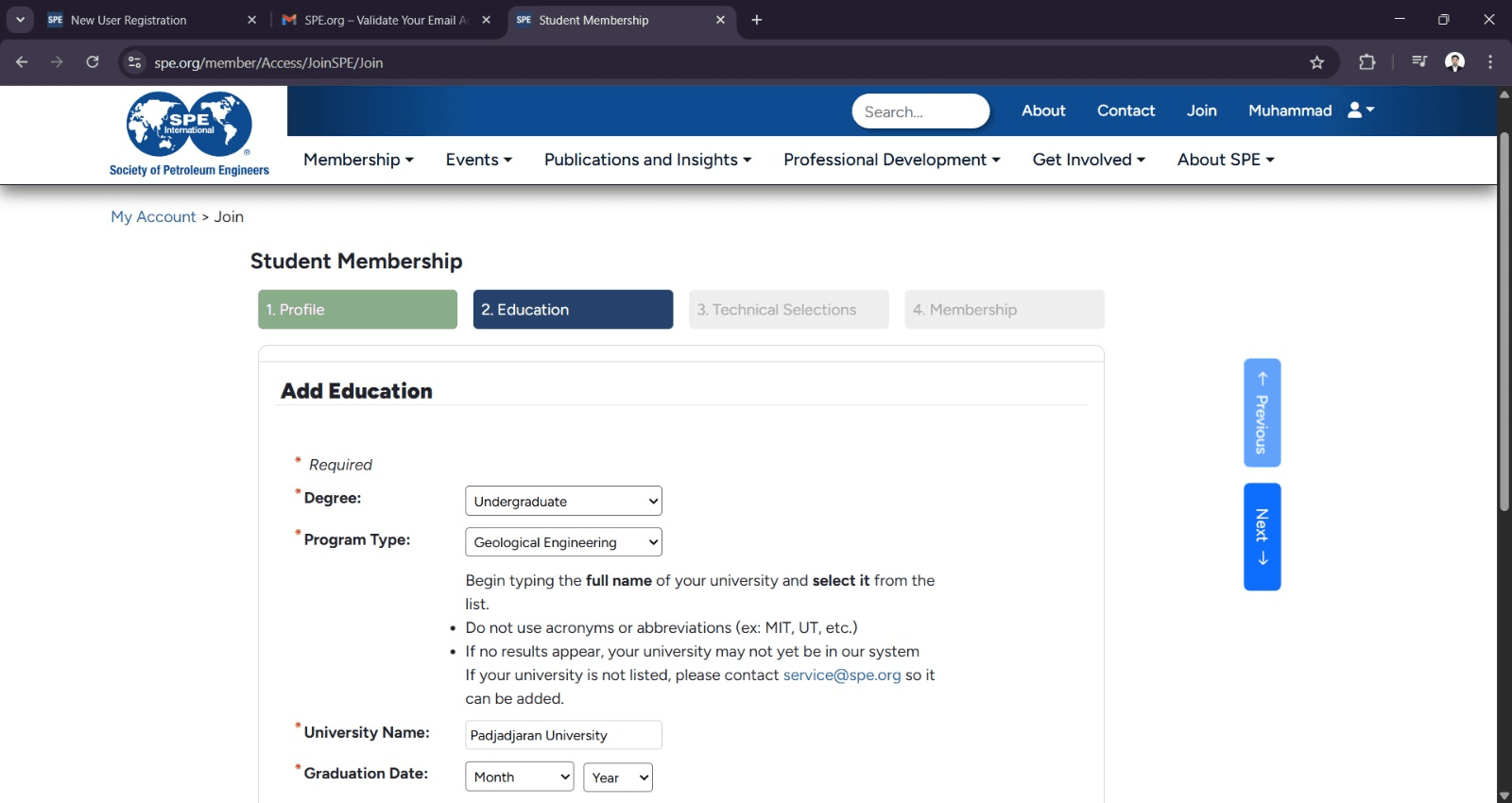
Complete your personal information through to the final page.
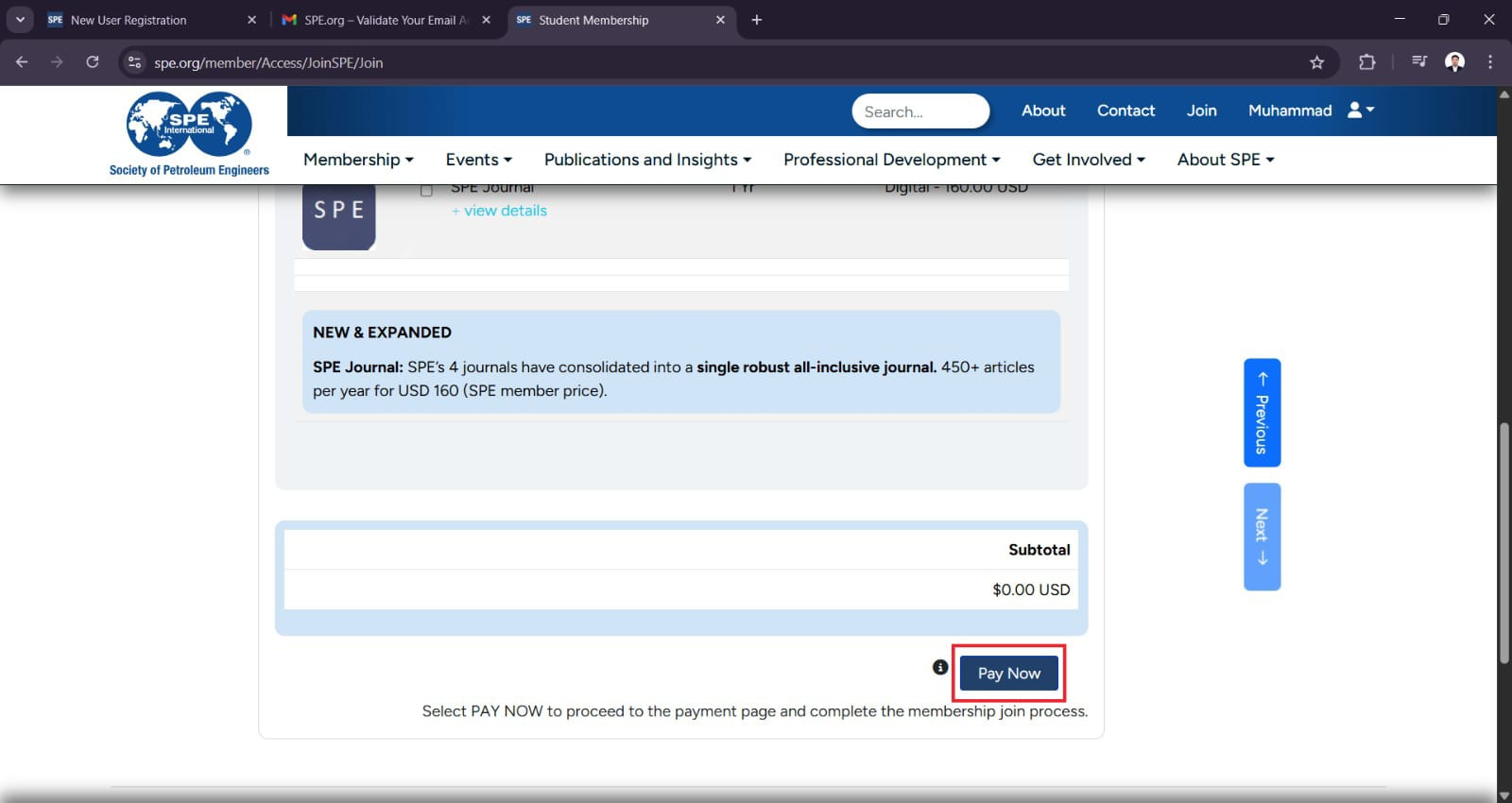
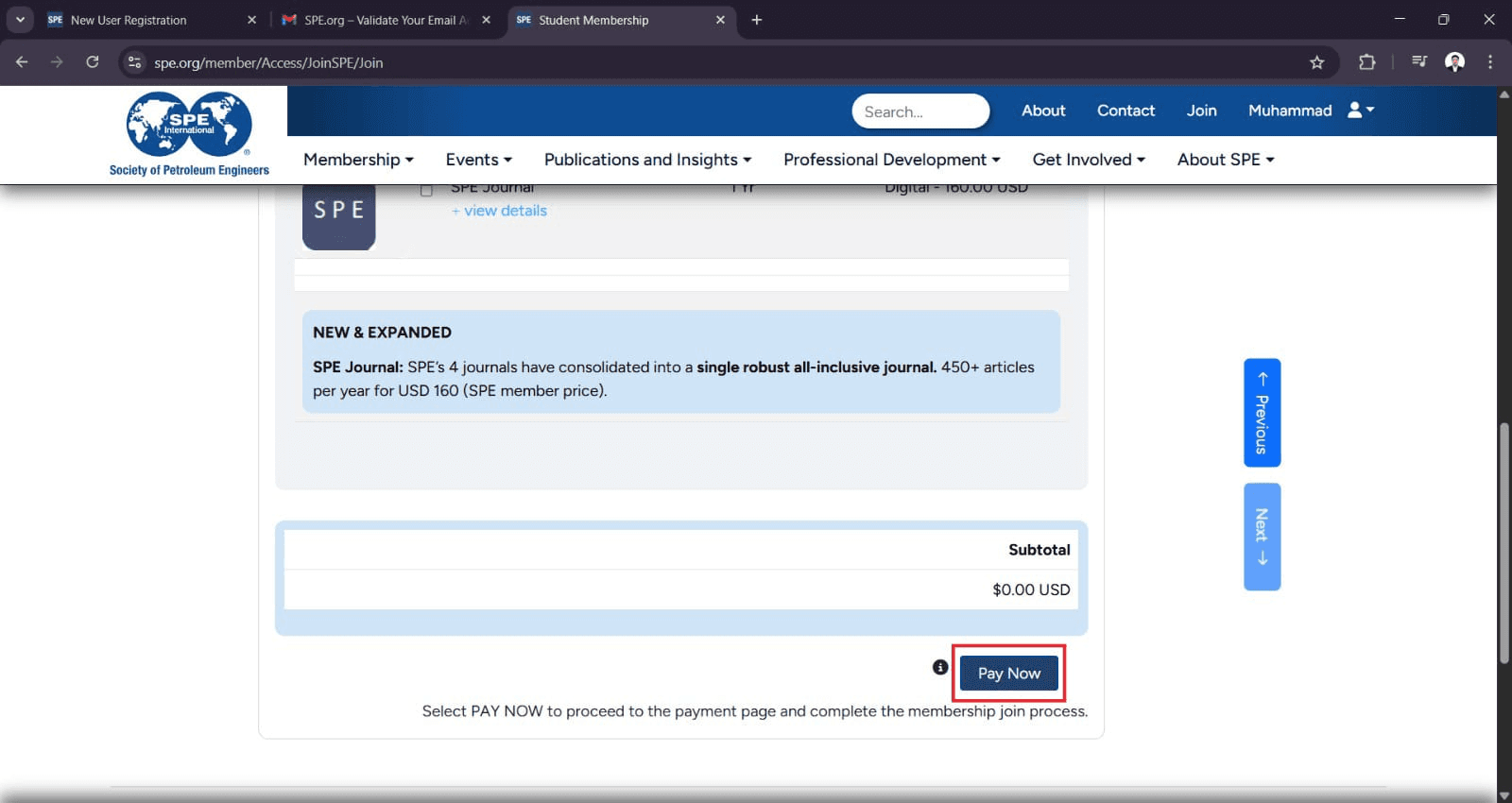
On the final page, click Pay Now.
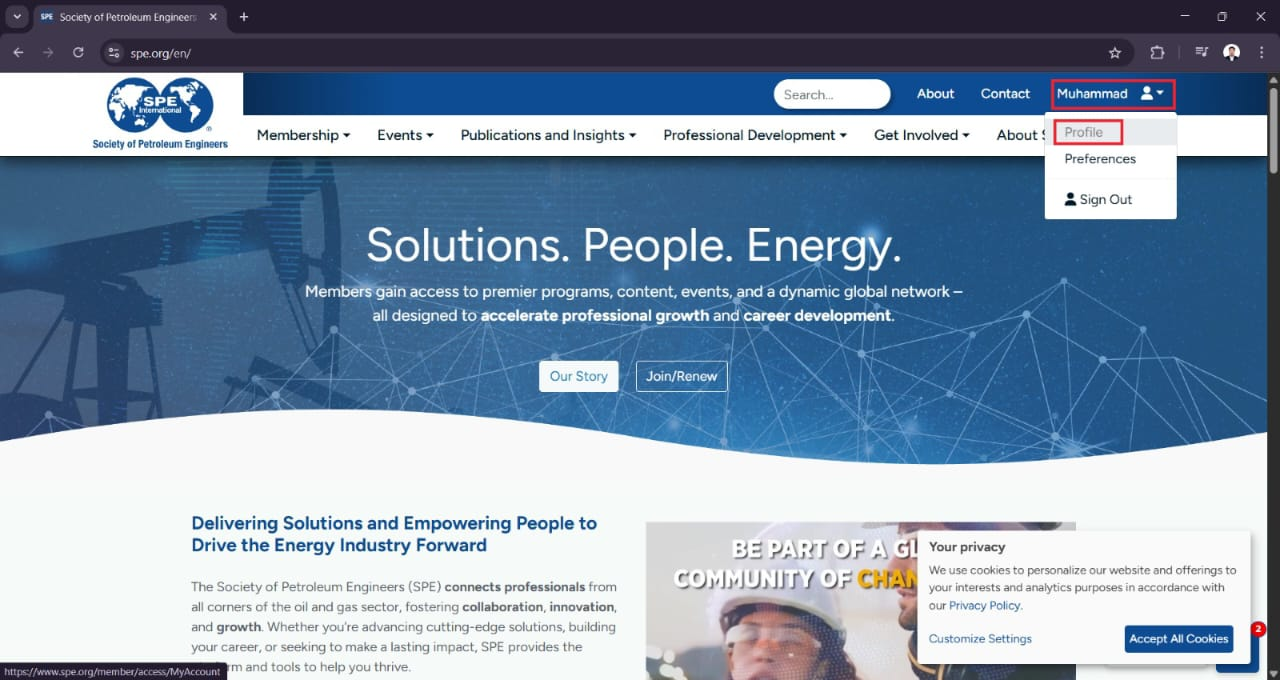
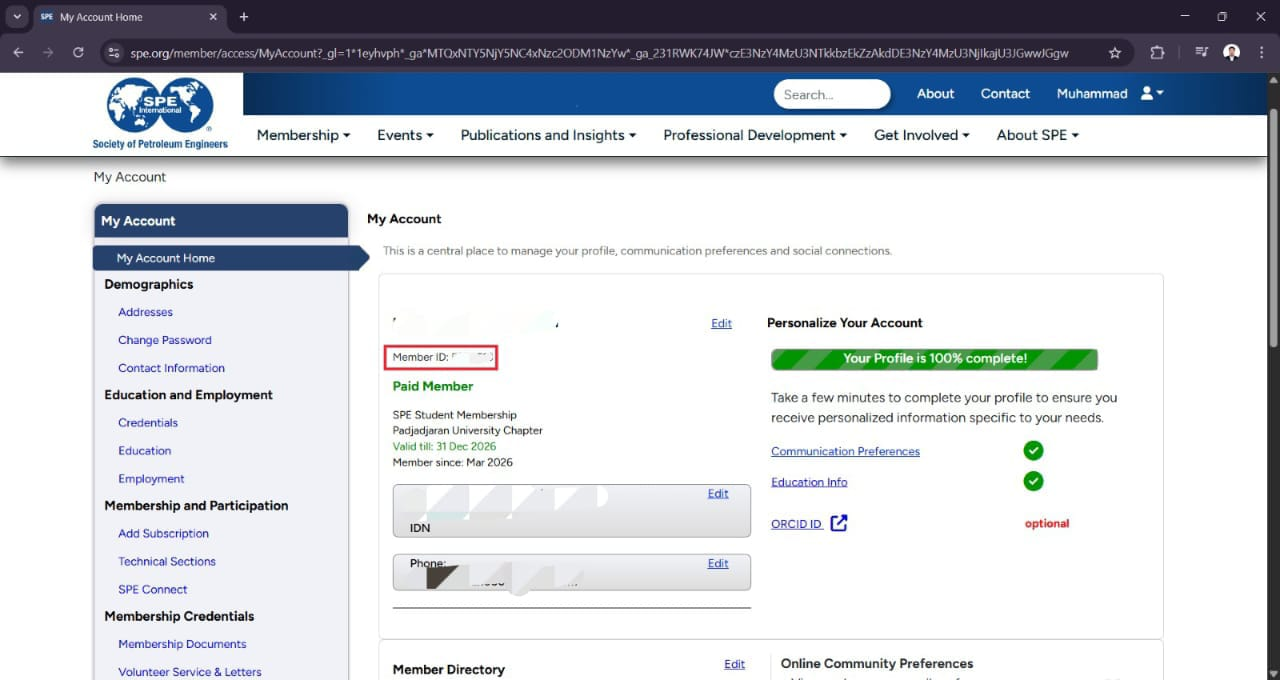
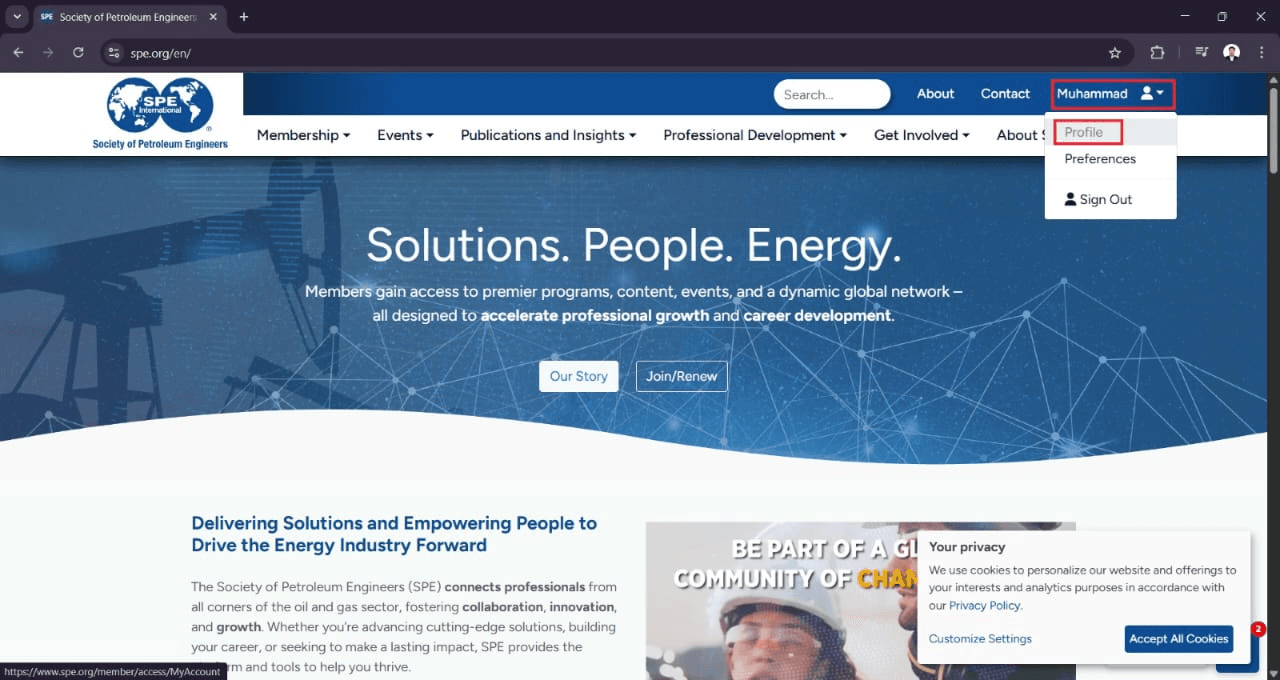
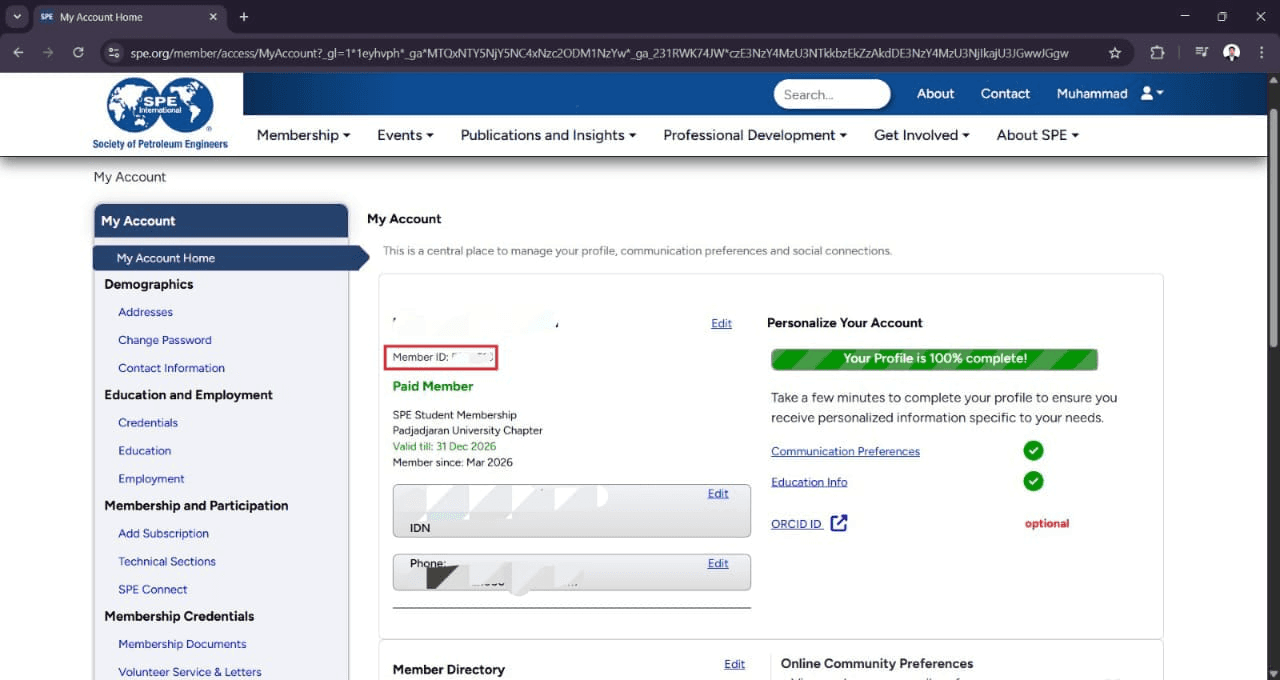
Once your account is created, return to the SPE homepage and click on Profile in the top right corner to see Member Credential ID
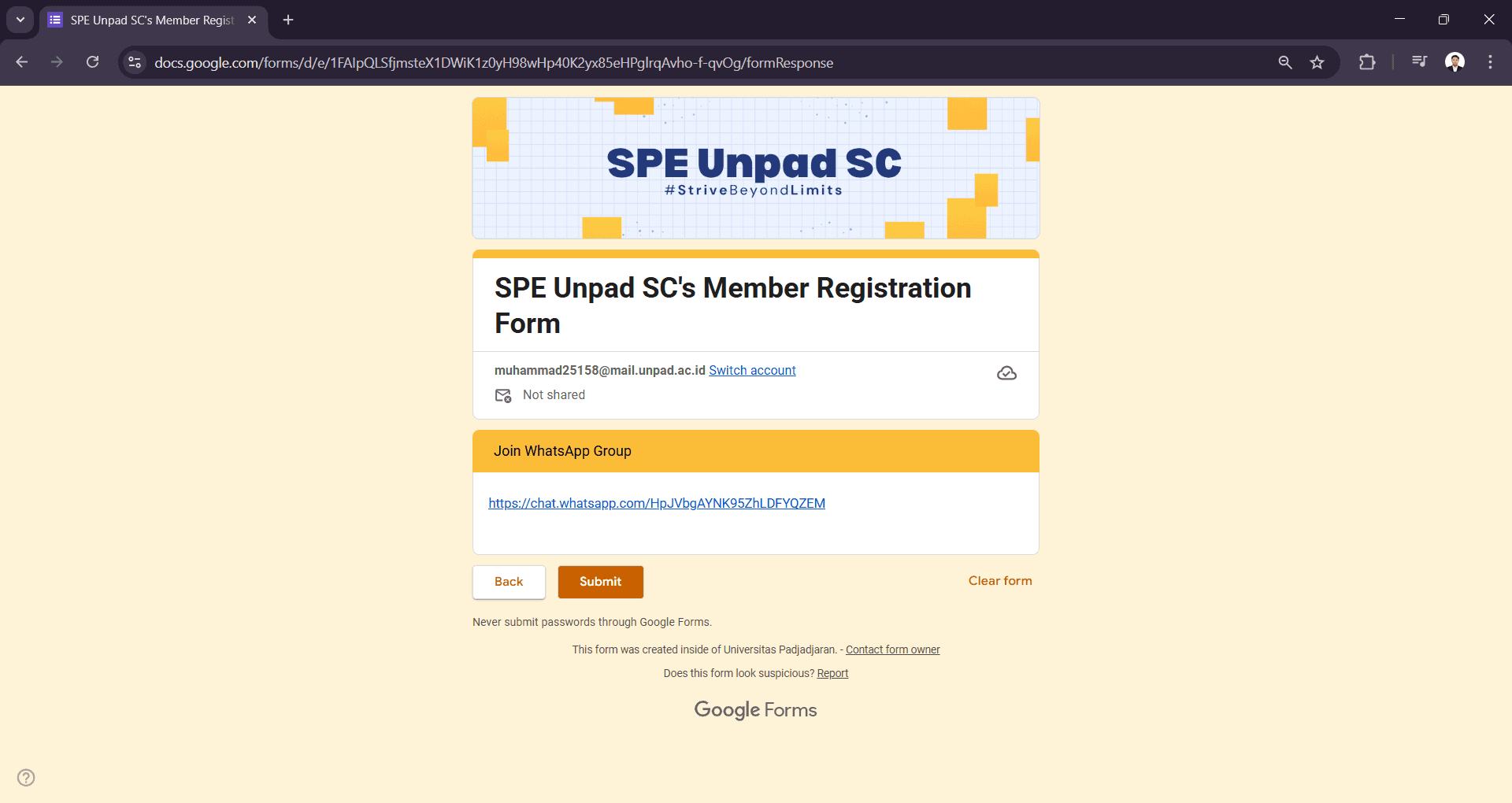
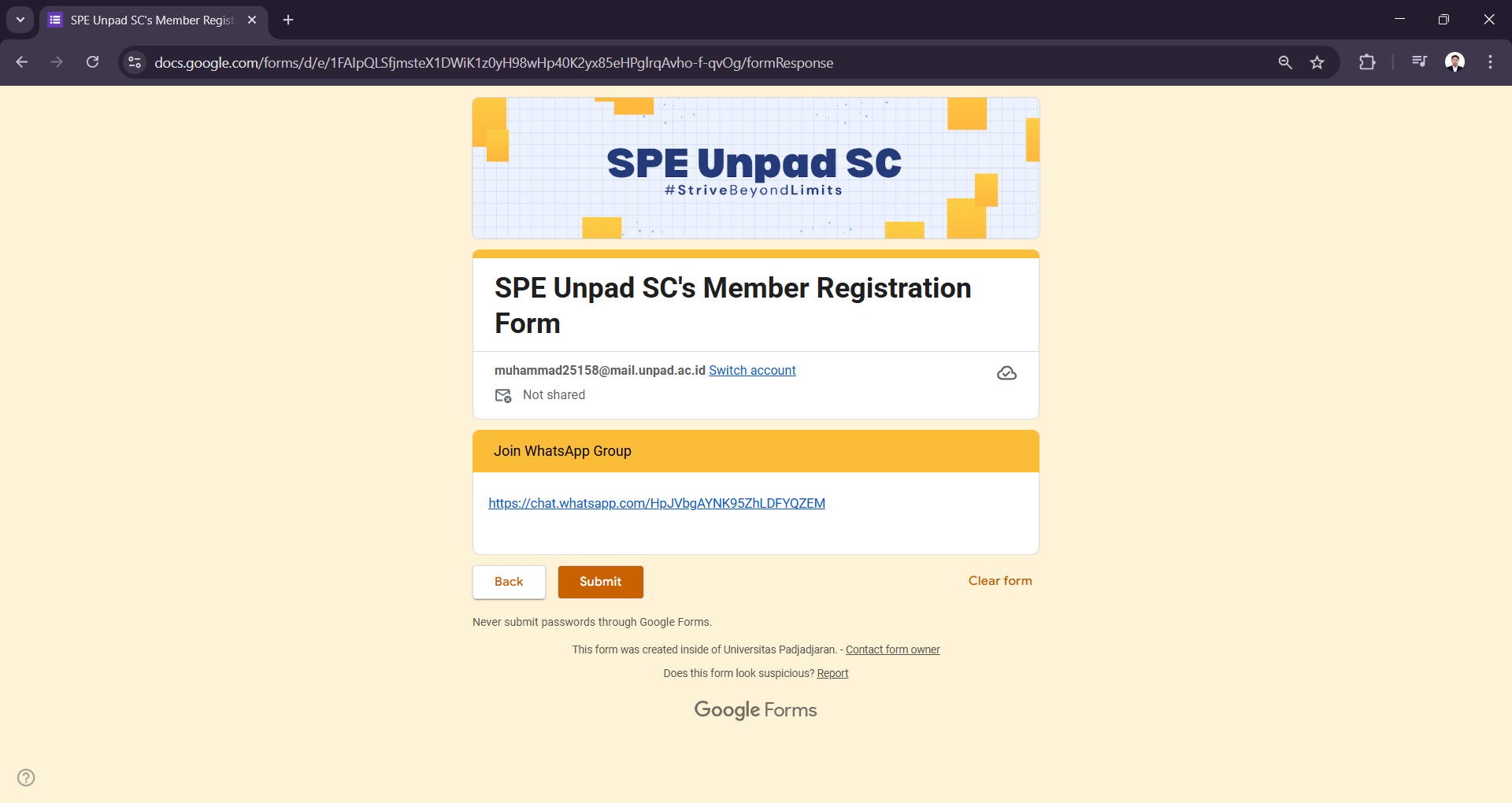
After completing the steps, go back to the Google Form. Ensure all data is complete and join the group link provided before submitting.